Why Teams Use Project Management Software to Manage Their Work
Author : AYYES LLC | Published On : 12 Oct 2026
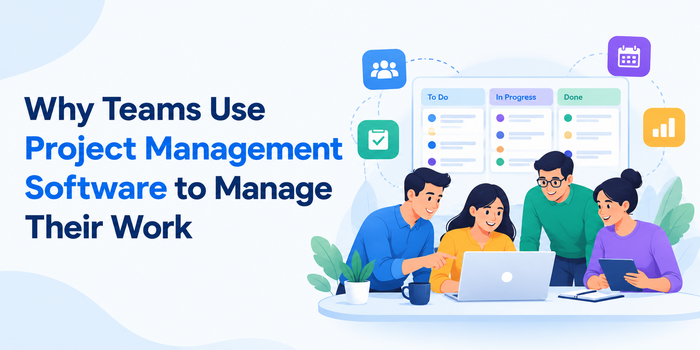
Managing projects becomes increasingly challenging as teams grow, work remotely, and handle multiple tasks at the same time. Businesses often rely on spreadsheets, emails, and separate communication tools, which can make it difficult to keep track of responsibilities, deadlines, and project updates.
Team Project Management Software helps businesses organize tasks, coordinate team members, track project progress, and keep important work information in one place. It provides teams with a centralized workspace where they can plan projects, assign responsibilities, set deadlines, monitor progress, and collaborate more efficiently.
Instead of constantly asking who is working on what or searching through different tools for project updates, teams can access important information from one place. But why are so many teams using project management software? Let's look at the key reasons.
What Is Project Management Software?
Project management software is a digital tool designed to help teams plan, organize, execute, and monitor their work.
Depending on the platform, it can include features such as:
-
Task management
-
Project planning
-
Team collaboration
-
Time tracking
-
Task assignments
-
Deadlines and schedules
-
Progress tracking
-
Reporting and analytics
-
File sharing
-
Notifications
-
Employee productivity insights
The main purpose is to make work more organized and visible. Team members can understand their responsibilities, while managers can monitor project progress without relying entirely on manual updates.
1. Keeps All Project Information in One Place
One of the biggest challenges for teams is managing information across multiple platforms.
A project might involve emails, spreadsheets, chat messages, documents, calendars, and separate tracking tools. When information is spread across different places, employees can spend unnecessary time searching for updates.
Project management software provides a centralized workspace where teams can store tasks, deadlines, files, notes, and project information.
This makes it easier for employees to find what they need and reduces the need to repeatedly ask other team members for updates.
2. Makes Task Assignment Easier
Projects usually involve multiple people with different responsibilities. Without a clear task assignment system, employees may not always know what they should prioritize.
Project management platforms allow managers to assign tasks directly to team members.
A task can include:
-
The person responsible
-
Description
-
Deadline
-
Priority
-
Project
-
Status
-
Supporting files
This creates greater clarity around responsibilities. Employees can see their assigned work, while managers can check whether important tasks are progressing as expected.
3. Helps Teams Track Project Progress
Knowing whether a project is on schedule is important for managers and team members.
Project management software can provide different ways to monitor progress. Tasks may be organized into statuses such as To Do, In Progress, Review, and Completed.
Some platforms also provide dashboards, timelines, calendars, or reports that give managers a broader view of project progress.
Instead of waiting until a meeting to discover that a task is delayed, managers can identify potential issues earlier.
4. Improves Team Collaboration
Collaboration becomes more challenging when employees work remotely or across different locations.
Project management software can give team members a shared environment for discussing tasks, sharing files, leaving comments, and providing updates.
For example, instead of sending a separate email about a task, an employee can add the update directly to the relevant project or task.
This keeps conversations connected to the work they relate to and can make collaboration easier.
5. Helps Manage Deadlines and Priorities
Projects often contain multiple deadlines. Without proper organization, important tasks can be overlooked.
Project management software allows teams to assign due dates and priorities to tasks. Employees can then see what needs to be completed and when.
Managers can also use project views and dashboards to identify overdue tasks and upcoming deadlines.
This makes it easier to prioritize work and keep projects moving forward.
6. Provides Better Visibility Into Team Work
Managers often need to understand how work is progressing without constantly interrupting employees for updates.
Project management software provides visibility into task status, project progress, workloads, and completed work.
This can help managers identify:
-
Delayed tasks
-
Workload issues
-
Project bottlenecks
-
Upcoming deadlines
-
Completed activities
-
Areas requiring attention
Better visibility can also support more informed decisions about task allocation and project planning.
7. Automates Repetitive Work and Tracking
Another reason teams adopt project management platforms is to reduce repetitive administrative work.
Automated Tracking can help capture and organize information with less manual effort. Depending on the platform, this may include tracking time, task activity, project progress, or other work-related information.
Automation can also be used for recurring tasks, notifications, reminders, status updates, and workflow processes.
For teams handling several projects simultaneously, reducing repetitive administrative tasks can give employees more time to focus on their actual work.
8. Makes Time Tracking More Useful
Time tracking becomes more valuable when it is connected to projects and tasks.
Instead of simply recording that an employee worked eight hours, teams can understand how those hours were distributed across different projects or activities.
This can help businesses understand project costs, billable hours, workloads, and how much time different types of work require.
For agencies and service businesses, accurate project time data can also support client billing and profitability analysis.
9. Supports Better Reporting
Project management software can turn project activity into useful reports.
Reports may provide information about completed tasks, employee workloads, tracked time, project progress, deadlines, and productivity.
These insights can help managers understand what is happening across projects without manually collecting information from multiple employees.
Reporting can also make project reviews easier by providing a record of completed work and project activity.
10. Helps Teams Scale Their Work
A workflow that works for a five-person team may become difficult to manage when the team grows to 20, 50, or more employees.
As organizations grow, they typically have more projects, tasks, deadlines, and people to coordinate.
Project management software provides a structured system that can grow alongside the team. Instead of creating new spreadsheets or manual processes every time the business expands, teams can continue using a centralized platform.
How to Choose Project Management Software
Not every project management platform offers the same features. Businesses should consider their actual requirements before selecting one.
Important factors include:
Ease of Use
Employees should be able to understand the platform without extensive training.
Task and Project Management
Check whether the software supports task assignments, deadlines, priorities, project organization, and progress tracking.
Collaboration
Look for features such as comments, file sharing, notifications, and team communication.
Time Tracking
If your business needs to monitor working hours or project costs, choose software with suitable time tracking capabilities.
Automation
Automation can reduce repetitive administrative work and help teams maintain consistent workflows.
Reporting
Consider whether the platform provides the reports and insights managers need to monitor projects and team performance.
Scalability
Choose a platform that can support your team as the number of employees, projects, and tasks increases.
Final Thoughts
Project management software has become an important part of how modern teams organize and manage their work. It can bring tasks, projects, deadlines, collaboration, time tracking, reporting, and work information into one centralized environment.
For employees, this can provide greater clarity about their responsibilities and priorities. For managers, it can provide better visibility into project progress, workloads, and deadlines.
The right platform ultimately depends on the team's size, workflow, project complexity, and specific requirements. By choosing software that matches these needs, businesses can create a more organized approach to managing everyday work and long-term projects.
