When a Sublimation Print Goes Wrong, Should You Repress It?
Author : Edi Jiang | Published On : 02 Sep 2026
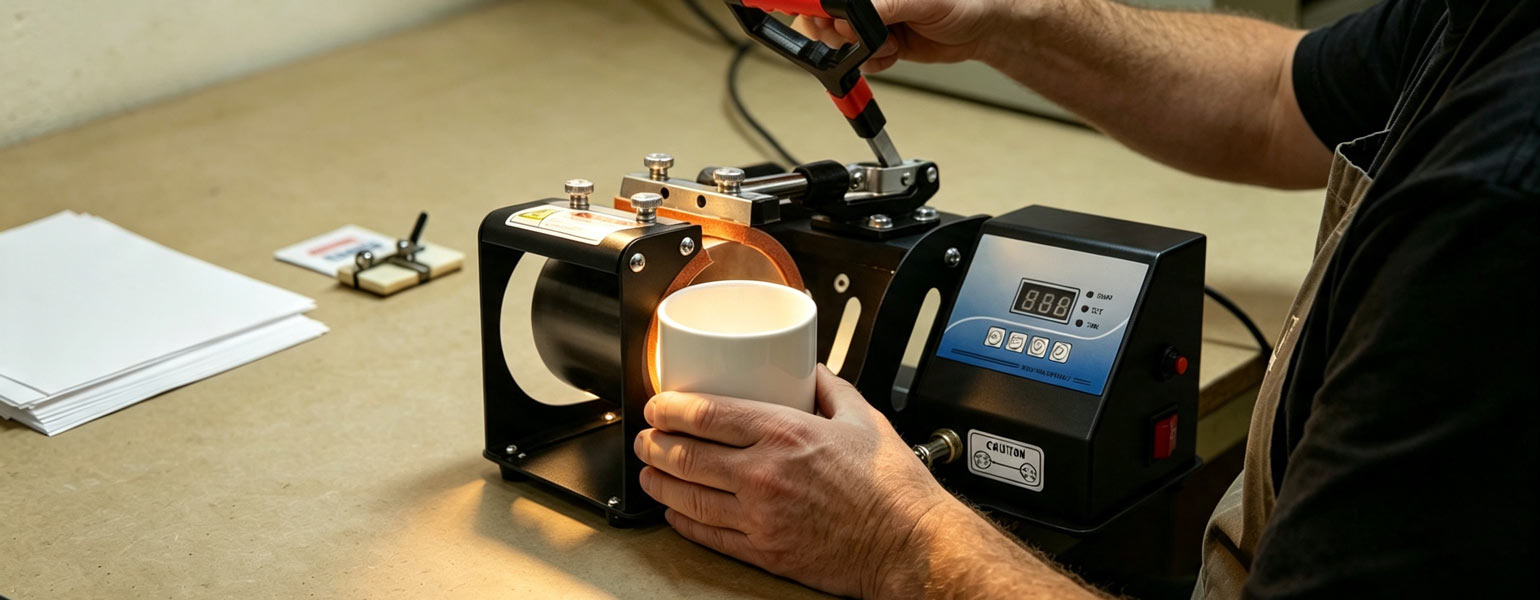
If you have been doing sublimation for a while, you have probably had that moment.
You open the heat press, peel back the paper and immediately notice something is not quite right.
Maybe the colours look a little weak. Perhaps one corner has not transferred properly. Maybe the image appears slightly uneven, or the result simply does not have the depth you expected.
The first instinct is usually obvious:
Put it back in the heat press.
Sometimes, that works.
Sometimes, it makes the problem worse.
This is one of the most important things to understand when learning how to troubleshoot sublimation printing: not every imperfect print can be fixed by pressing it again.
In fact, repressing without understanding the cause can easily turn a minor problem into a completely wasted blank.
The better question is not, “Can I press it again?”
It is:
What actually caused the problem in the first place?
Once you start troubleshooting from that angle, you waste fewer blanks and get much more consistent results.
When Repressing Can Actually Help
There are situations where a second press can improve the result.
The most obvious example is an incomplete transfer caused by insufficient heat or an unevenly heated blank.
You may notice that most of the image looks good, but a particular area appears lighter than the rest. With thicker materials such as ceramic or slate, this can sometimes happen because the blank did not reach a consistent temperature during the original pressing cycle.
In that situation, a carefully controlled second press may improve the result.
But there is an important detail here.
You should not simply throw the blank back into the press using exactly the same settings and hope for the best.
First, look at the result carefully.
Ask yourself whether the lighter area is genuinely under-transferred, or whether something else is happening.
A lack of colour caused by insufficient heat is very different from faded colour caused by too much heat. The two problems may look similar at first glance, but the solution is completely different.
That is where experience starts to matter.
A Pale Print Does Not Always Need More Heat
This catches out a lot of people.
You see a print that looks weak and immediately assume it needs another 30 seconds.
But sometimes the print has already received too much heat.
Over-pressing can cause colours to lose definition, appear dull or shift away from the intended shade. Depending on the material and coating, extra heat may also affect the surface itself.
Once that happens, pressing it again will not restore the original colour.
It is a bit like overcooking food. Adding more cooking time does not bring it back.
This is why it is worth looking at the character of the problem before deciding what to do next.
A genuinely under-transferred area may still have some room for improvement.
A faded or overheated print usually does not.
Ghosting Cannot Be Fixed With Another Press
If the design has ghosted, repressing is rarely going to save it.
Ghosting happens when the transfer paper moves during or immediately after pressing, creating a shadow or duplicate effect around the image.
Once the extra image has transferred, it is already there.
Another press will not remove it.
If anything, more heat may make the result even more obvious.
The same applies when the transfer paper was not positioned correctly from the beginning. Sublimation ink becomes part of the coating during the transfer process. You cannot simply heat it again and expect the unwanted image to disappear.
When ghosting happens, it is usually better to stop and check the process.
Was the paper securely fixed?
Did the blank move while being handled?
Was the pressure too light?
Did the paper shift when the heat press opened?
Finding the real cause is far more useful than sacrificing another blank to the same mistake.
Repressing After a Bad Colour Result Can Be Risky
Colour problems are another area where people often reach for the heat press too quickly.
If the colours are obviously wrong across the whole design, the issue may have nothing to do with pressing time.
It could be related to:
- Incorrect colour settings
- A printer profile problem
- Ink performance
- Paper choice
- Incorrect temperature
- An unsuitable substrate
Adding another press cycle will not fix a colour management problem.
If your reds are printing as orange or your blacks are turning brown, more heat is not the answer.
This is one reason I always recommend changing one variable at a time when troubleshooting sublimation.
If you change the temperature, pressing time, pressure, paper and printer settings all at once, you may eventually get a better result, but you will have no idea why.
That makes the next job difficult too.
A simple test tells you far more than a random collection of adjustments.
The Material Matters More Than People Think
Before deciding whether to repress a sublimation blank, think about what you are working with.
A ceramic mug does not behave like a polyester T-shirt.
A rock slate does not behave like a thin aluminium panel.
A thick, slow-heating material may occasionally benefit from a carefully adjusted second heat cycle if the original transfer was clearly incomplete.
A thin blank may already have absorbed more than enough heat.
The coating matters as well.
Different sublimation blanks can respond differently even when they appear to be made from the same basic material. The quality and thickness of the coating can affect how the image transfers and how well the surface tolerates additional heat.
That is why there is no reliable rule saying:
“If the print looks weak, press it again.”
Sublimation simply does not work like that.
Be Especially Careful With Coated Blanks
Many sublimation beginners focus heavily on the temperature shown on the heat press display.
The number matters, of course.
But the material is experiencing the whole process, not just the number on the screen.
It is dealing with temperature, time, pressure and repeated exposure to heat.
A blank that has already been pressed for several minutes may react very differently when it goes back into the press.
Extra heat can sometimes affect the coating before it improves the transfer.
You may end up with a print that looks darker in one area but loses clarity in another. In some cases, the surface finish itself may be affected.
This is particularly frustrating because the blank may have looked almost acceptable before the second press.
A rushed attempt to save it then makes it unusable.
A Better Way to Decide Whether to Repress
When a sublimation print does not come out as expected, pause for a moment before doing anything.
Look at the result and ask a few practical questions.
Is the transfer genuinely incomplete?
If part of the design clearly did not receive enough heat, there may be a chance that a carefully controlled additional press will help.
Is the colour faded because of overheating?
If so, more heat is unlikely to improve it.
Has the paper moved?
If the image has ghosted or doubled, repressing will not remove the unwanted transfer.
Is the problem affecting the whole design?
If the entire image has incorrect colours, the issue may be in the printing or colour setup rather than the pressing process.
Could the blank itself be the problem?
An inconsistent coating or uneven surface can create results that no amount of repressing will completely fix.
These few checks can save a surprising amount of material.
Sometimes the Best Decision Is to Stop
This may sound obvious, but it is surprisingly difficult when you have already invested time in preparing the transfer.
You printed the artwork, cut the paper, taped everything into position, and completed the press cycle.
Naturally, you want to save the blank.
But there is a point where trying to rescue the product becomes more expensive than replacing it.
This is especially true when working on larger production runs.
If one test item fails, use it as information.
Do not repeat the same settings on another 20 blanks.
Check what happened first.
Was the press temperature accurate?
Was the pressure consistent?
Was the blank stored correctly?
Did the material need a short preheat?
Was moisture involved?
Was the transfer securely positioned?
Small adjustments based on the actual cause are far more effective than repeatedly adding heat.
Prevention Is Cheaper Than Repressing
The best way to avoid wasting sublimation blanks is to reduce the need for rescue attempts in the first place.
Start with the recommended settings supplied for the particular blank.
Then test them using your own equipment.
A heat press can display one temperature while the actual surface temperature varies across the platen. Pressure can also behave differently depending on the thickness and shape of the material.
That is why a setting that works perfectly for someone else may need a small adjustment in your own workspace.
Keep notes when you find a reliable combination.
Record the blank, temperature, time and pressure.
If you later change something, you will have a known working setup to compare against.
This makes troubleshooting much easier than trying to remember what you did three weeks ago.
Preheating Can Help, but It Is Not a Rescue Trick
Preheating is useful for certain sublimation blanks, particularly materials that are thick or slow to heat evenly.
Ceramic and slate are common examples.
Giving these materials a short preheat can help reduce the temperature gap between the heating surface and the blank before the main transfer begins.
But preheating should be part of the process, not a desperate repair technique after something has gone wrong.
If you repeatedly find that the same part of a thick blank transfers poorly, test whether a controlled preheat improves the consistency.
Do not assume that every material needs it.
Thin, fast-heating blanks may gain very little from additional heat exposure.
The same principle applies throughout sublimation:
Use the extra step when it solves a real problem, not simply because someone said it should always be done.
Learn to Read the Print
One of the biggest differences between a beginner and an experienced sublimation user is not knowing more temperature settings.
It is learning to look at a finished print and understand what it is telling you.
A light area may suggest insufficient heat.
A repeated shadow may point to movement.
A dull image may indicate overheating.
Uneven colour may suggest pressure or temperature inconsistency.
A strange colour shift across the whole design may have started before the blank ever reached the heat press.
The more accurately you identify the problem, the less likely you are to waste materials trying the wrong solution.
And that is really the key point.
Repressing Is a Tool, Not a Default Fix
A second press can occasionally save an under-transferred sublimation blank.
But it should never be the automatic response to every disappointing result.
More heat cannot fix ghosting.
It cannot remove an unwanted transferred image.
It cannot correct a poor colour profile.
It cannot repair a damaged coating.
And it cannot undo the effects of serious overheating.
Before putting a blank back into the heat press, take a moment to work out what actually went wrong.
If the problem is genuinely related to insufficient heat, a carefully controlled second press may be worth testing.
If the problem has another cause, more pressing may simply waste more time and turn a potentially usable blank into a definite loss.
In sublimation printing, the goal is not to memorise a long list of perfect settings.
It is to understand how heat, time, pressure and materials work together.
Once you start treating each failed print as a clue rather than immediately trying to press the problem away, your results usually become more consistent, your troubleshooting gets faster, and you waste far fewer blanks.
