What Is Time Tracking Software and How Does It Work?
Author : AYYES LLC | Published On : 02 Sep 2026
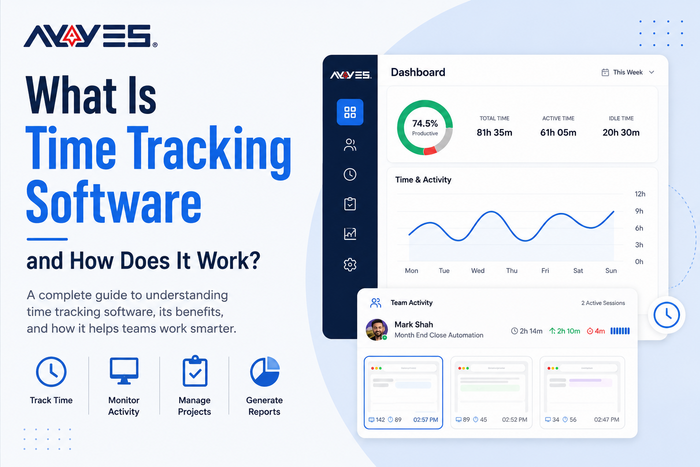
Managing employee hours, projects, and productivity can be challenging without the right tools. Time Tracking Software helps businesses record working hours, track projects and tasks, monitor attendance, and understand how time is being used.
Instead of relying on spreadsheets or manual timesheets, businesses can use automated tracking to manage billable hours, support payroll, improve project planning, and increase productivity.
AYYES is an all-in-one work management platform that combines time tracking, project management, attendance, reporting, invoicing, scheduling, and productivity monitoring in one place. But how does time tracking software actually work, and what benefits can it provide?
What Is Time Tracking Software?
Time tracking software is a digital tool that records the amount of time employees, freelancers, contractors, or teams spend working on specific projects and tasks.
Depending on the platform, users can track time manually through timesheets and timers or automatically through desktop applications.
Businesses commonly use it to:
-
Record employee working hours
-
Track project and task time
-
Monitor attendance
-
Separate billable and non-billable hours
-
Support payroll
-
Measure productivity
-
Generate work reports
-
Improve resource planning
By having accurate time data in one place, businesses can better understand how their teams and projects are performing.
How Does Time Tracking Software Work?
Most time tracking platforms follow a straightforward process.
1. Add Your Team
Businesses create a workspace and invite employees, freelancers, or contractors. Team members can then be organized according to projects, departments, or roles.
2. Create Projects and Tasks
Managers create projects and assign tasks to employees. Team members can then associate their working hours with the appropriate project, client, or task.
For example, an agency could track separate hours for SEO, web design, content writing, meetings, and client work.
3. Track Working Hours
Employees can record their time using different methods, including:
-
Online timers
-
Manual timesheets
-
Clock-in and clock-out systems
-
Desktop tracking applications
-
Offline time tracking
AYYES provides flexible time tracking options for different work environments, including remote and office-based teams.
4. Monitor Work Activity
Advanced Timer Tracker can record work activity while employees work. Depending on the settings, this may include application usage, website activity, activity levels, idle periods, and screenshots.
AYYES provides automated tracking features designed to give businesses greater visibility into work activity while offering privacy-focused controls.
5. Analyze Reports
Once working hours are recorded, managers can review reports covering employee time, projects, tasks, productivity, attendance, and billable hours.
These insights can help businesses identify inefficiencies, improve project estimates, and make better decisions about workloads.
Key Features of Time Tracking Software
A modern time tracking solution can offer much more than a simple timer.
Important features may include:
-
Real-time time tracking
-
Automated tracking
-
Timesheets
-
Project and task tracking
-
Attendance management
-
Billable-hour tracking
-
Productivity monitoring
-
Idle-time detection
-
Offline tracking
-
Reporting and analytics
-
Scheduling and time-off management
-
Invoicing and expense tracking
When choosing a solution, businesses should focus on features that match their team's workflow and make time management easier.
Benefits of Time Tracking Software
Using employee time tracking software can provide several benefits for businesses.
Improve Productivity
Businesses can understand how working hours are being used and identify tasks that take longer than expected.
Improve Project Management
Tracking project time makes it easier to compare estimated hours with actual hours and identify potential delays or budget issues.
Simplify Payroll and Attendance
Accurate work-hour records can reduce manual calculations and make attendance information easier to manage.
Track Billable Hours
Businesses can record billable time by client, project, or task, helping create more accurate invoices and reduce missed billable hours.
Manage Team Workloads
Managers can see how work is distributed across their teams and make better decisions when assigning new projects.
Who Uses Time Tracking Software?
Time tracking tools are useful for many types of businesses and professionals, including:
-
Small businesses and startups
-
Marketing agencies
-
Software development teams
-
Web design companies
-
Consultants
-
Accountants
-
Freelancers
-
Remote and hybrid teams
A freelancer can track time for different clients, while an agency can measure hours spent across multiple projects. Remote companies can also use time tracking to maintain organized work records.
Why Choose AYYES for Time Tracking?
AYYES combines time tracking with broader work management features, allowing businesses to manage employee time, projects, attendance, productivity, and billing from one platform.
With AYYES, businesses can:
-
Track employee working hours
-
Manage attendance and schedules
-
Track projects and tasks
-
Monitor productivity
-
Record billable hours
-
Generate reports
-
Manage invoices and expenses
-
Support remote and hybrid teams
-
Track work activity automatically
This makes AYYES a practical option for businesses looking for more than basic timekeeping.
Final Thoughts
Project Time Tracking Software helps businesses replace manual time records with accurate, organized, and actionable work data. From tracking employee hours and project time to managing attendance, productivity, and billable work, the right platform can improve everyday operations.
AYYES brings these capabilities together with project management, reporting, scheduling, invoicing, and productivity tools, giving businesses a centralized way to manage work and make better decisions.
Frequently Asked Questions
1. What is time tracking software?
Time tracking software is a digital tool that records working hours and tracks the time employees, freelancers, or teams spend on projects and tasks. It can also include attendance, productivity, reporting, and billing features.
2. How does time tracking software work?
It records working hours through timers, timesheets, clock-in systems, or automated tracking. The collected information can then be organized by employee, project, task, or client and analyzed through reports.
3. What are the benefits of using time tracking software?
It helps businesses improve productivity, manage projects, track employee hours, calculate billable time, simplify attendance management, understand workloads, and make better decisions using accurate time data.
4. Can time tracking software track remote employees?
Yes. Time tracking software can help businesses manage remote and hybrid teams by recording working hours, attendance, project time, and productivity. Some platforms also provide automated activity and offline tracking.
5. Can time tracking software help with client billing?
Yes. Businesses can track billable hours by client, project, or task and use the recorded information to create more accurate invoices and maintain clear records of completed work
