Modular Data Center Planning: 6 Checks Before Installation
Author : NPOD Data Center Solutions | Published On : 02 Nov 2026
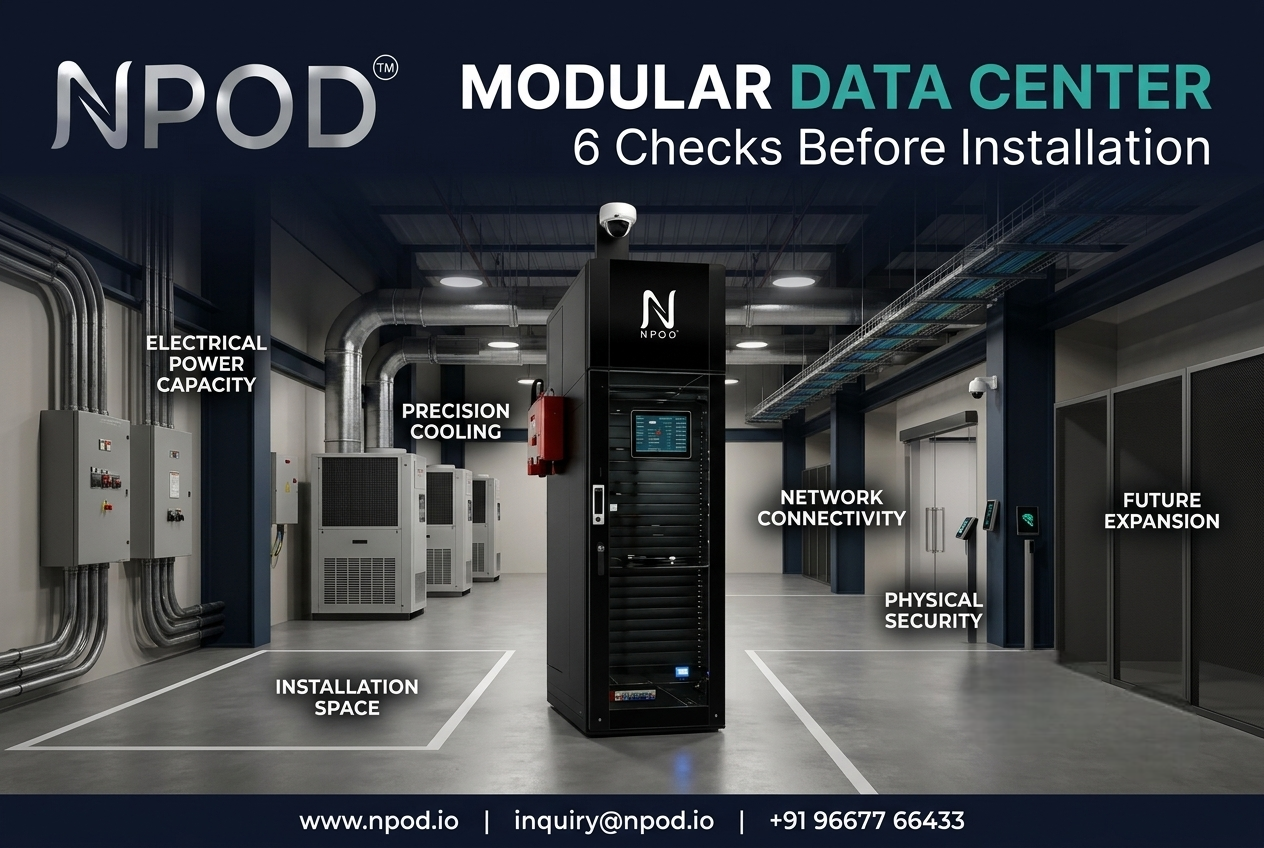 A modular data center can simplify IT deployment, but placing an integrated infrastructure unit at a site does not automatically make that location ready. Before installation, businesses should assess electrical capacity, cooling requirements, physical space, network connectivity, safety provisions and future expansion needs. These six checks help IT teams identify practical constraints early, avoid last-minute changes and prepare a site that can support reliable operations.
1. Confirm Available Power Before Selecting the Configuration
Power availability should be one of the first checks, not something left until installation week. A site may have a suitable electrical connection for office equipment but still lack the capacity required by servers, storage, networking devices and supporting systems.
Start by documenting the expected IT load. Include current equipment and planned additions. Then ask the electrical team to review:
-
Available utility capacity and existing building load
-
Distribution panels, circuit capacity and cable routes
-
UPS requirements and battery backup expectations
-
Earthing, protection devices and maintenance access
-
Generator or alternate supply arrangements, where required
Do not rely only on the rating printed on a power connection. The actual usable capacity must be assessed against the proposed configuration and its operating requirements.
The American Society of Heating, Refrigerating and Air-Conditioning Engineers (ASHRAE) identifies power availability and grid capacity as important early considerations in data center site planning. Utility upgrades and equipment lead times can affect project schedules, so these discussions should begin before final configuration approval.
2. Match Cooling Design to the IT Load
Servers convert electrical energy into heat. If the cooling arrangement cannot remove that heat effectively, equipment may face thermal stress or performance limitations.
A modular data center should therefore be planned around the heat output and arrangement of the IT equipment. Two installations with the same number of racks may have different cooling needs because their server density, workload and airflow patterns are not identical.
Review these details before installation:
-
Expected heat load from the planned equipment
-
Rack layout and hot-air discharge paths
-
Cooling unit capacity and placement
-
Airflow obstructions around racks and equipment
-
Temperature and humidity monitoring points
-
Access for filter changes and routine maintenance
Avoid choosing cooling capacity only by estimating the number of servers. The equipment specification and actual operating profile should guide the design.
3. Measure the Physical Installation Area
A compact infrastructure design still needs a properly prepared location. Measure the available footprint and check the route through which the equipment will enter the building.
The site assessment should cover floor loading, door dimensions, corridor width, ceiling clearance and turning space. Also confirm whether the selected location can support the unit's weight and whether the floor needs any preparation.
Think beyond the initial placement. Technicians need enough room to open access panels, inspect components, replace parts and carry out maintenance. A unit that fits tightly into an unused corner may become difficult to service later.
For industrial sites, check exposure to dust, moisture, vibration and accidental impact. These conditions can influence enclosure requirements and the final installation position.
4. Validate Network Connectivity and Cable Routes
A working power connection does not mean the IT environment is ready. The infrastructure must also connect reliably with the organization's network, applications and remote management systems.
Before deployment, identify the required network providers, available bandwidth, fibre entry points and cable routes. Confirm how the modular unit will connect to the existing LAN, WAN, security systems and monitoring environment.
IT teams should also decide how network redundancy will work. If a business-critical application depends on a single cable route or provider, the infrastructure may retain a significant connectivity risk even after installation.
Prepare a simple connectivity diagram showing equipment locations, network entry points, patching arrangements and responsibility for each connection. This gives the installation team a clear reference instead of leaving decisions until the final stage.
5. Plan Physical Security and Safety Requirements
The installation area should protect equipment from unauthorized access and foreseeable site hazards. Security planning may include controlled entry, access logs, surveillance and clearly assigned responsibility for visitors and maintenance personnel.
Safety requirements deserve equal attention. Review fire detection and suppression provisions, emergency procedures, electrical isolation and any applicable building or industrial-site rules.
The ANSI/BICSI 002 data center design and implementation standard addresses several areas relevant to this assessment, including site location, power, cooling, cabling, security, commissioning and maintenance. Businesses should use appropriate professional guidance and local regulations when defining project requirements.
6. Keep Future Expansion in the Site Plan
A site may meet today's requirements but become restrictive when the business adds storage, compute capacity or new applications. Future expansion should be considered before fixing the installation layout.
Estimate likely equipment additions and identify what would need to change to accommodate them. Check whether the electrical supply, cooling arrangement, network capacity and available floor area can support the expected growth.
A modular data center can provide a structured way to expand infrastructure, but scalability depends on the selected configuration and the site around it. Do not assume that adding another module will be possible without changes to power, cooling, access or connectivity.
Record the expansion assumptions in the project plan. This helps procurement, facilities and IT teams work from the same capacity expectations.
Turn Site Assessment Into an Installation Plan
A successful deployment begins with a clear understanding of the site. Review power, cooling, physical access, connectivity, security and expansion requirements before confirming the final configuration. Assign an owner to each requirement and document any issue that needs approval or corrective work.
Businesses evaluating an integrated modular data center solution should also examine how power backup, precision cooling, monitoring, security and IT racks work together. NPOD brings these infrastructure elements into a single platform, helping organizations simplify deployment planning and manage essential site requirements through an integrated approach.
Before installation begins, arrange a technical assessment with the relevant IT, electrical and facilities teams. A well-prepared site gives the project a stronger starting point and makes future operations easier to manage.
Frequently Asked Questions
1. What should be checked before installing a modular data center?
Check electrical capacity, cooling requirements, floor loading, physical access, network connectivity, security and future expansion provisions. The final checklist should reflect the equipment configuration and site conditions.
2. Why is cooling assessment important?
Cooling removes the heat generated by IT equipment. An unsuitable arrangement can create temperature problems and affect equipment reliability. Cooling should be selected according to the expected IT load and airflow design.
3. Can a modular data center be installed in an existing facility?
Yes, provided the location meets the required structural, electrical, cooling, connectivity and safety conditions. A site assessment helps determine what preparation or upgrades are needed before deployment.
