Micro Mobile Data Center: Planning IT for Temporary and Distributed Operations
Author : NPOD Data Center Solutions | Published On : 11 Nov 2026
A temporary business site still needs dependable IT. Construction teams need access to project systems while telecom operators and industrial companies may run equipment across several locations. Setting up a separate server room at every site is not always practical. A micro mobile data center offers a compact way to house essential IT equipment along with power protection, cooling and monitoring. Businesses looking at compact data center infrastructure for flexible deployment should consider how long each site will operate and what its IT systems need.
Why Temporary Sites Often Struggle with IT Setup
A permanent office usually has a planned space for servers and network equipment. Temporary locations rarely have the same facilities.
A project office may use a rented room or a site cabin. An industrial unit may need local computing before its main facility is ready. In both cases, teams can end up placing servers wherever space is available.
That creates two practical concerns.
Equipment may not have a suitable environment. Servers produce heat and need a controlled operating space. Poor cooling or limited airflow can affect equipment performance. Unplanned access can also create security risks.
Different sites may follow different IT practices. When each project team arranges its own equipment, power supply and maintenance process, the central IT department has more setups to manage. Fixing an issue can take longer when the layout and equipment vary from one location to another.
These issues are easier to handle when the infrastructure is planned before the site starts operating.
What Does a Micro Mobile Data Center Include?
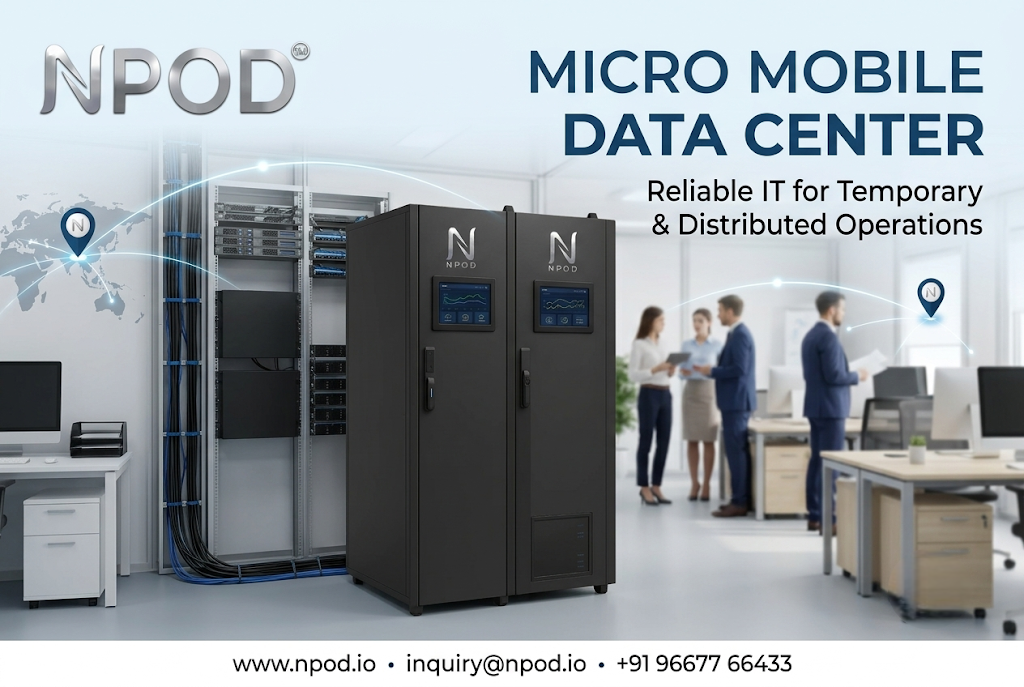
A micro mobile data center brings important data center components together in a compact arrangement. Its purpose is to provide a managed environment for IT equipment where a conventional server room may not be available.
Depending on the configuration, it can include:
-
IT racks: For servers, storage and network devices.
-
Precision cooling: To manage the heat produced by IT equipment.
-
UPS and power management: To provide power protection and support the planned electrical load.
-
Monitoring: To help teams check infrastructure conditions.
-
Physical security: To control access to the equipment.
-
Fire detection and protection: To address fire-related risks.
The final setup should match the equipment and conditions at the site. Also, the word mobile should not automatically be taken to mean vehicle-mounted. The design and relocation options depend on the particular solution.
Keeping IT Operations Consistent Across Sites
When a company runs several project locations or temporary facilities, its IT team needs a clear way to manage each installation.
Use a Common Infrastructure Plan
Start with a standard list of requirements for every site. This should cover the rack layout, power needs, cooling arrangements, security and monitoring.
The equipment at every location may not be identical. A small project office will not need the same capacity as a large industrial site. However, using a common planning method helps the IT team check each installation in the same way.
Match the Setup to Available Space
A temporary office may have very little room for IT equipment. A compact data center can keep servers and supporting systems together in a planned area.
Before installation, measure the available space. Check the door and access route too. Technicians need enough room to inspect equipment and carry out maintenance after the setup is operational.
Check Power and Cooling Before Installation
Do not estimate power requirements by looking only at the number of servers. Include storage, networking devices and other equipment that will run inside the setup.
The electrical supply at the site must support the expected load. Cooling should also be selected according to the heat produced by the installed equipment. If the workload grows later, the original design should have a clear upgrade plan.
Decide Who Will Monitor the Equipment
A central IT team may manage several locations from one office. It should know what information is available from each site and who will respond when an alert appears.
Assign responsibility for routine checks and fault reporting. Local staff should also know whom to contact if a server or network device stops working.
What to Plan Before Moving or Expanding a Site
Temporary operations often change. A construction project may move to another phase while a business may open an additional branch. The IT setup should not become an afterthought during these changes.
Before selecting a micro mobile data center, check the following:
-
Expected operating period: Will the site run for a few months or several years?
-
IT workload: Which applications, servers and network services must operate locally?
-
Site conditions: Is there enough space? What are the electrical and environmental conditions?
-
Installation access: Can the equipment reach the installation area without difficulty?
-
Relocation needs: If the site changes, what preparation will be required to move and reinstall the infrastructure?
-
Support plan: Who will handle maintenance and respond to equipment issues?
Relocation should never be assumed to be simple. Transport, disconnection, site preparation and recommissioning may all need planning. Confirm these requirements with the solution provider before making a decision.
Business Uses for Compact Mobile Data Center Infrastructure
This type of infrastructure can be considered in several business settings.
-
Construction sites: Local systems may support project applications, site networks and operational data.
-
Industrial facilities: Production and support teams may need computing close to their work areas.
-
Telecom operations: Distributed locations may require a planned environment for IT and network equipment.
-
Temporary offices: Businesses can arrange local IT capacity while a permanent office is being built or renovated.
-
Expanding companies: A repeatable setup can help IT teams plan infrastructure for new branches and project locations.
The right configuration will depend on the workload and the conditions at each site. A compact unit is not a replacement for every large data center. It is an option for businesses whose local IT requirements suit this type of setup.
Conclusion
Temporary sites need the same attention to IT planning as permanent offices. Servers still require suitable power, cooling, security and maintenance even when a project location will only operate for a limited period.
A micro mobile data center can bring these requirements together in a compact installation. Before choosing one, list the equipment that will run at the site and check the available space, power supply and support arrangements.
If your business is planning IT infrastructure for temporary or distributed operations, explore NPOD's micro data center solution and review the configuration that matches your requirements.
FAQs
1. Is a micro mobile data center suitable for a temporary office?
It may be suitable when the office needs local servers or network equipment but does not have a dedicated server room. The required capacity and site conditions should be checked first.
2. Does a micro mobile data center always need to be mounted on a vehicle?
No. The term does not always mean a vehicle-mounted unit. Deployment and relocation options depend on the product's design.
3. What information is needed before selecting one?
Businesses should know their IT equipment list, expected power load, space availability, cooling needs, site conditions and maintenance plan.
