How to Program a Key Fob: A Step-by-Step Guide for Vehicle Owners
Author : Hutch Holegan | Published On : 02 Mar 2026
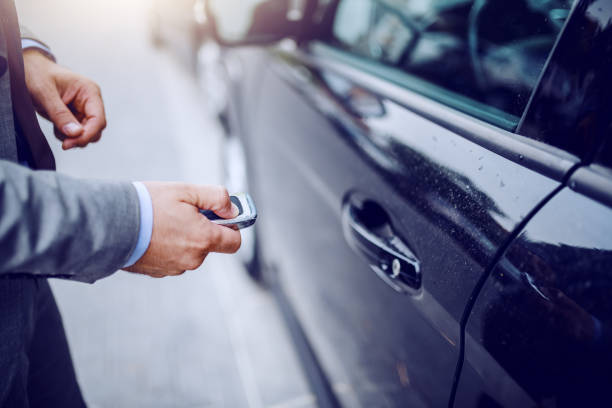
A key fob adds convenience and security to your vehicle, allowing you to lock, unlock, and sometimes even start your car remotely. Whether you’ve purchased a replacement remote or need to reprogram an existing one, understanding how to program a key fob can save time and money. While the exact process varies by vehicle make and model, the general steps below apply to many cars.
Before You Begin
-
Check Your Owner’s Manual
Your vehicle manual often includes manufacturer-specific instructions for programming a key fob. -
Confirm Compatibility
Make sure the replacement key fob matches your car’s year, make, and model. Some vehicles require OEM (original equipment manufacturer) remotes. -
Have All Remotes Ready
Many vehicles erase old fobs during programming. Keep every remote you want to use with the vehicle nearby. -
Install a Fresh Battery
A weak battery can cause programming to fail.
Standard DIY Programming Method (Common for Many Vehicles)
Step 1: Enter the Vehicle
Close all doors and sit in the driver’s seat with the key and key fob.
Step 2: Insert the Key into the Ignition
Insert the key and turn it to the “On” position (not start) and back to “Off.” Repeat this cycle several times (usually 4–8 times within 10 seconds) until the door locks cycle automatically. This indicates the vehicle is in programming mode.
Step 3: Press the Lock Button
Press the lock button on the key fob within a few seconds of entering programming mode. The door locks should cycle again to confirm successful pairing.
Step 4: Program Additional Fobs
If you have more remotes, press the lock button on each one within a few seconds.
Step 5: Exit Programming Mode
Turn the ignition to “Off” and remove the key. The locks may cycle one last time to confirm completion.
Programming Push-Button Start Key Fobs
Vehicles with push-button start systems often require more advanced programming. Some models allow onboard programming through a specific sequence of pressing the start button while holding the fob nearby. However, many modern smart keys require:
-
Dealer-level diagnostic equipment
-
A professional automotive locksmith
-
Security PIN codes specific to the vehicle
If your vehicle doesn’t respond to manual programming steps, professional assistance may be necessary.
When DIY Programming Doesn’t Work
Certain situations require expert tools and knowledge:
-
Transponder chip keys
-
Smart proximity keys
-
Keyless entry systems with rolling codes
-
Lost all keys (no original available)
In these cases, an automotive locksmith can connect a programming device to your vehicle’s onboard computer (OBD port) to properly sync the new key fob.
Common Programming Issues
-
Locks Don’t Cycle: You may not be following the timing correctly. Repeat the steps carefully.
-
Fob Doesn’t Respond: Replace the battery and try again.
-
Vehicle Starts but Remote Doesn’t Lock/Unlock: The transponder may be programmed, but the remote functions are not synced.
Why Professional Programming May Be Better
While DIY programming can work for older vehicles, newer cars use encrypted systems that require specialized equipment. A professional automotive locksmith can:
-
Cut and program keys on-site
-
Sync remotes quickly
-
Reset security systems
-
Ensure proper functionality
This is often faster and more affordable than visiting a dealership.
Programming a key fob can be simple for older vehicles but more complex for modern models with advanced security systems. Always consult your vehicle manual first, ensure compatibility, and follow instructions carefully. If the process fails or your vehicle requires specialized equipment, contacting a qualified automotive locksmith is the safest and most efficient solution.
