How to Choose the Right Uninterruptible Power Supply for Your Needs How to Choose the Right Uninterr
Author : Globalzhitui lyy | Published On : 15 Apr 2026
In today’s technology-driven world, maintaining a continuous power supply is crucial for businesses and individuals. Whether you’re protecting critical data, ensuring the smooth operation of electronic devices, or safeguarding critical business infrastructure, choosing the right uninterruptible power supply (UPS) is essential. A UPS prevents data loss, hardware damage, and downtime by providing emergency power when the mains power fails. However, with a wide variety of models and features available, choosing the right UPS can be overwhelming. This guide will walk you through the key factors to consider when selecting a UPS that meets your specific needs.
I. Understanding UPS Basics:
Understanding what a UPS is and how it works is essential before starting to select a reliable UPS system. A UPS is an electrical device that supplies power to connected devices when the mains power fails. It achieves this by using batteries that start instantly, giving users enough time to save time, properly shut down the system, or switch to a backup power source.
II. There are three main types of UPS systems:
1. Standby UPS(or Offline UPS) :
This type of UPS is the simplest and most economical, only powered by batteries when the mains power fails. Suitable for small office environments where short-term power outages or surges are the primary concern.
2. Line-Interactive UPS:
This type offers better protection against power fluctuations. It actively regulates voltage and switches to battery power during outages. It is ideal for environments with frequent but short-lived outages.
3.Online UPS(or Double-Conversion UPS):
This most advanced and expensive UPS provides the highest level of power interruption protection by continuously powering connected devices via an inverter. It is suitable for critical applications such as data centers, where even brief outages can have serious consequences.
III. Assess Your Power Needs:
The first step in choosing the right UPS is to assess your power needs. You need to determine your total load, which is the total power consumption of all devices you plan to connect to the UPS. To do this, list all devices that need protection—such as computers, servers, monitors, and network equipment—and indicate their power consumption in watts. This information is usually found on the device label or in the user manual.
Once you have determined your total power, it is recommended to choose a UPS with a capacity 20-30% higher than calculated. This extra capacity provides assurance for future expansion and ensures the UPS operates efficiently without overloading.
IV. Determine the required UPS runtime:
UPS runtime refers to the length of time a UPS can provide power during a power outage. This is a critical factor because it determines whether you have enough time to safely shut down equipment or switch to backup power, such as a generator.
When choosing a UPS, consider the importance of the device. If you are protecting a personal computer, a few minutes of runtime may be sufficient. However, if you are protecting servers or medical equipment, you may need a UPS with a longer runtime to ensure everything continues running until power is restored.
Most manufacturers provide runtime schedules showing how long their UPS units can power various loads. Use these charts to match the calculated load with the UPS that provides the required runtime.
V. Consider your UPS size and available space:
1. Consider form factor and size:
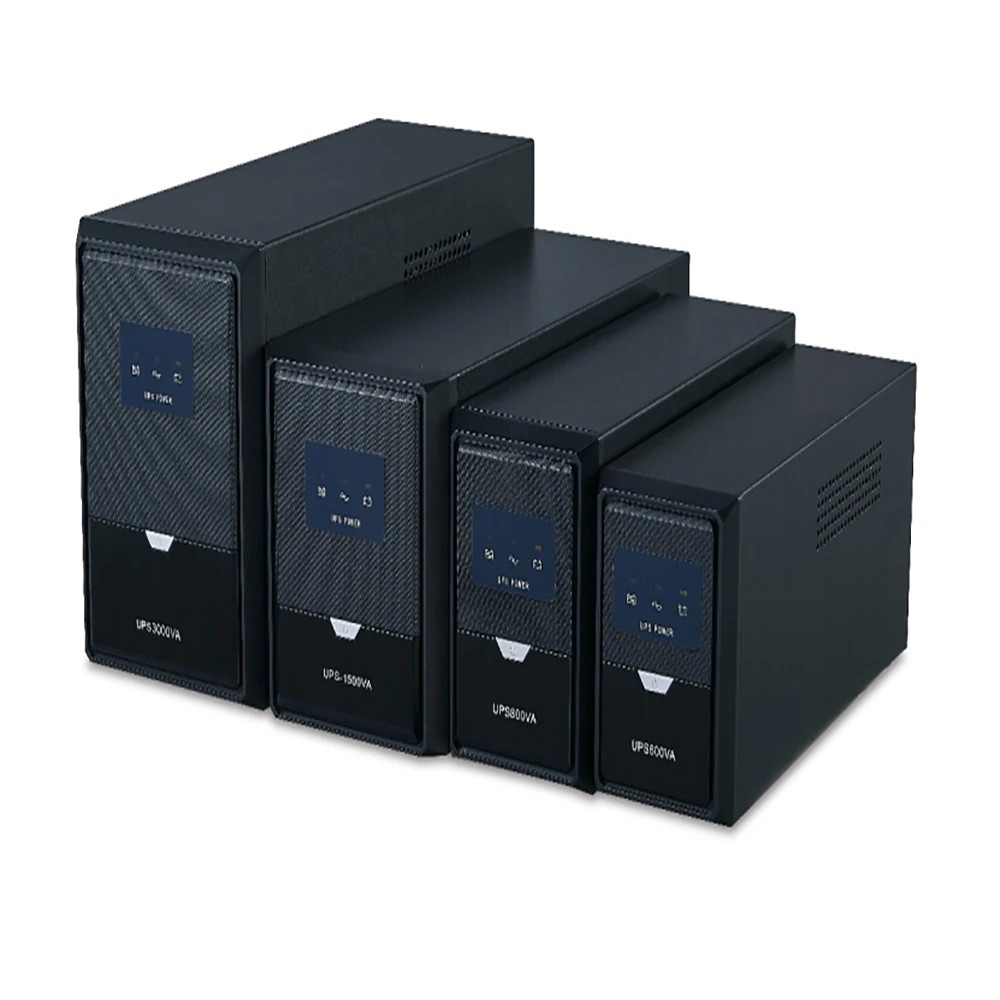
The physical size and form factor of a UPS is an important consideration, especially when space is limited. UPS units come in various shapes and sizes, from compact models that can be placed under a desk to large rack-mount systems designed for server rooms.
If you are purchasing a UPS, ensure it can be installed in the intended space without obstructing airflow or other equipment. For rack-mount systems, ensure the rack has sufficient space and ventilation to accommodate the UPS.
2. Evaluate Battery Type and Replacement Options:
The battery is the heart of a UPS, and its type and replacement options are critical factors. Most UPS systems use sealed lead-acid (SLA) batteries, which are both reliable and affordable. However, some high-end models may use lithium-ion batteries, which are lighter, have a longer lifespan, and charge faster, but are also more expensive.
When replacing UPS system batteries, always verify the manufacturer’s recommendations. Some UPS systems allow users to easily replace batteries, while others require professional repair. Knowing when and how to replace batteries helps maintain the UPS and prevent unexpected failures.
VI. UPS Features and Other Considerations:
When choosing a UPS, consider any additional features that may benefit your specific needs:
1. LCD Display:
Many modern UPS devices are equipped with an LCD display that shows real-time information such as battery status, load level, and input/output voltage. This feature is especially useful for monitoring the health and performance of the UPS.
2. Surge Protection:
Ensure the UPS provides adequate surge protection. This feature protects connected devices from voltage spikes that may occur even when powered on.
3. Management Software:
Some UPS systems come with management software that allows for remote monitoring and control of the UPS. This is especially useful for IT administrators managing multiple locations.
4. Audible Alarms:
Audible alarms can alert you to power problems, such as when the UPS switches to battery power. This feature is particularly important in environments requiring immediate action.
5. Extension Options:
Some UPS models offer the option to add an external battery pack to extend runtime. This is invaluable if your power needs increase over time or if you require longer protection during power outages.
6. Warranty and Support:
Consider the warranty and support options offered by the manufacturer. A good warranty and responsive customer support provide peace of mind, especially in critical applications.
Conclusion
Choosing the right uninterruptible power supply (UPS) is a crucial step in protecting your electronic devices and data from unexpected power outages. By understanding your power needs, assessing required runtime, considering form factor and battery type, and evaluating other features, you can select a UPS that meets your specific needs.
Investing in a UPS is more than just buying a device—it’s about protecting your valuable electronics and ensuring continuity in an increasingly digital world. Take the time to assess your needs and choose wisely, as the right UPS keeps things running smoothly during unexpected power outages.
