How a Portable Data Center Can Support Business Continuity
Author : NPOD Data Center Solutions | Published On : 13 Nov 2026
Business operations depend on IT systems such as servers, storage and business applications. If a primary data center becomes unavailable, even a short disruption can affect daily work. A portable data center can support business continuity by providing an alternate location for selected IT equipment and services. A containerized data center infrastructure solution can bring servers, power systems, cooling and monitoring together in a transportable setup. However, businesses must plan data protection, network access and recovery steps separately.
Why Business Continuity Depends on IT Infrastructure
Many business activities rely on systems that employees may not see directly. These include databases, internal applications, file storage, communication tools and network services.
If the facility hosting these systems faces a power failure, fire, equipment fault or another serious disruption, important services may become unavailable.
The impact depends on which systems are affected. A business may lose access to customer records, order processing, internal communication or other essential tools. This can delay work and affect customers.
Business continuity planning helps an organization decide how to keep critical activities running during such events. IT infrastructure is an important part of that plan because business teams need working systems to continue their tasks.
What Is the Role of a Portable Data Center in Business Continuity?
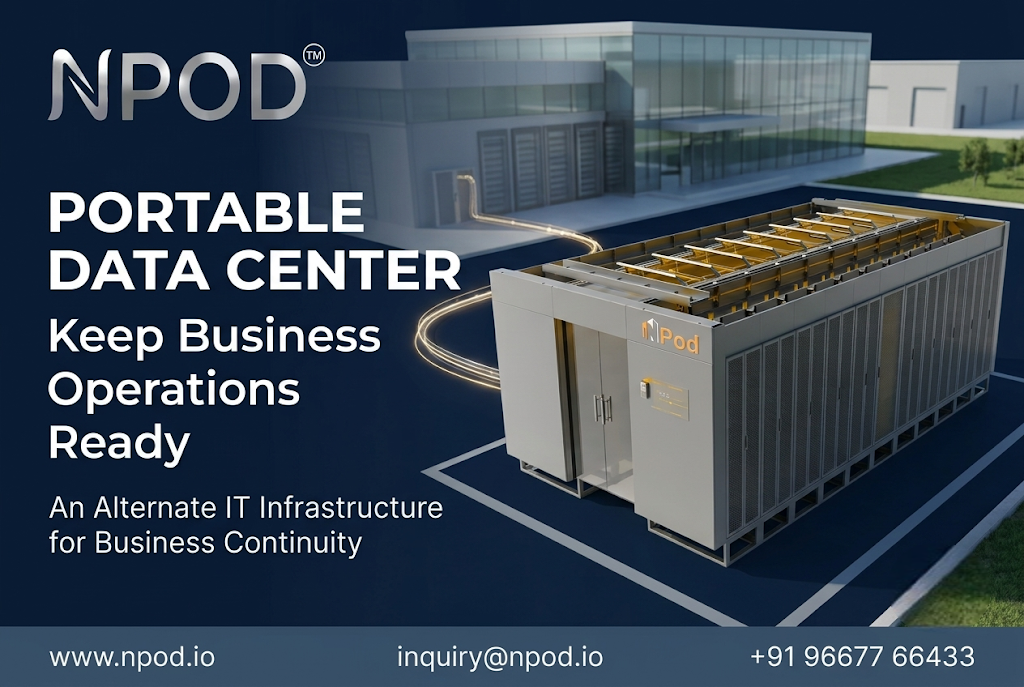
A portable data center is a transportable structure designed to house IT equipment and the systems needed to support it. Depending on its configuration, it may include server racks, power distribution, UPS backup, cooling, monitoring and physical security.
For business continuity, it can serve as an alternate infrastructure location. A company may prepare it to host selected servers or applications if the primary facility cannot support normal operations.
The setup can be planned away from the main IT facility. This may help reduce dependence on a single physical location. However, the alternate site must have suitable power, connectivity, security and environmental conditions.
A portable unit does not automatically become a working disaster recovery site when delivered. It needs proper configuration and testing before an incident occurs.
Three Ways It Can Support Business Continuity
1. Providing an Alternate Location for IT Equipment
A portable data center can provide a separate physical space for selected IT equipment. Businesses can identify which servers and network systems are important for essential operations and plan an alternate setup for them.
For example, a company may decide that its internal business application and selected data services should be available from another location if its main server facility becomes unavailable.
The alternate setup must be ready to receive the required workloads. This includes equipment configuration, network access and security controls.
2. Supporting Planned Maintenance and Facility Upgrades
Not every disruption is unexpected. Businesses may need to upgrade electrical systems, replace cooling equipment or carry out major work inside an existing data center.
During such work, some IT equipment may need to operate from another location. A prepared portable setup can provide additional infrastructure for selected workloads while the main facility is being upgraded.
The IT team must plan how systems will move between locations. It should also check application compatibility, data access and network connections before the change takes place.
3. Supporting Recovery After a Facility Disruption
When a primary IT facility becomes unavailable, an alternate infrastructure location may help restore selected services.
A prepared portable data center can provide space for the required servers and supporting equipment. The recovery team can use it according to a documented recovery plan.
The actual recovery time depends on several factors. These include equipment readiness, backup availability, network connectivity and the steps required to restore applications.
This is why an alternate setup should be tested before it is needed.
What Must Be Planned Before Deployment?
Businesses should start by identifying their most important IT services. Not every application needs the same recovery priority.
The following steps can help create a practical plan:
Identify critical workloads: List the applications, servers and data services needed to support essential business activities.
Set recovery targets: Define how quickly each service should return and how much data loss the business can accept. These targets help guide infrastructure and backup decisions.
Plan power and cooling: Estimate the equipment load and select suitable power distribution, backup and cooling systems. The alternate site should be able to support the planned workload.
Arrange network connectivity: Confirm how users and systems will access the alternate location. Network capacity, security and routing should be tested.
Prepare physical security: Plan access control, monitoring and fire protection for the alternate facility.
Test the recovery process: Run planned exercises to check whether the equipment, data and applications can be restored as expected. Record problems and update the recovery plan.
Portable Data Center vs. Data Backup: Why Both Matter
A portable data center and a data backup serve different purposes.
A portable data center provides physical infrastructure for IT equipment. It can offer an alternate place to run selected systems.
A data backup protects copies of business information so that data can be restored after loss, damage or corruption. Backups should be protected from unauthorized changes and tested regularly.
Having servers at another location does not mean the latest business data is available there. The company must plan how data will be copied or replicated to the alternate site.
It should also maintain secure backups. A complete continuity plan needs both suitable infrastructure and a reliable way to restore information.
Common Business Continuity Planning Mistakes
Some planning gaps can make an alternate facility less useful during an actual disruption.
-
Assuming equipment alone is enough: Servers need working power, cooling, connectivity and security.
-
Ignoring data protection: A second IT location does not replace separate backups.
-
Skipping recovery tests: Untested procedures may fail when the team needs them most.
-
Not assigning responsibilities: Staff should know who can activate the plan and who handles each recovery task.
-
Overlooking site separation: The alternate location should be assessed for exposure to the same risks as the primary facility.
Conclusion: Make IT Recovery Part of Business Planning
Business continuity requires more than keeping spare servers. Organizations need a clear plan for where critical systems will run and how data and services will be restored after disruption.
A portable data center can support this plan by providing an alternate physical environment for selected IT workloads. Its value depends on proper site preparation, power, cooling, connectivity, data protection and regular recovery testing.
Businesses planning an alternate IT facility can explore NPOD's container data center solutions to understand the infrastructure options available for their requirements.
Frequently Asked Questions
1. Can a portable data center help during a data center outage?
Yes. It can provide an alternate location for selected IT equipment and workloads. The required systems, data and network connections must be prepared before an outage occurs.
2. Does a portable data center replace cloud backup or disaster recovery services?
No. It provides physical IT infrastructure. Businesses still need suitable data backups, replication and recovery procedures to restore their information and applications.
3. What should businesses prepare before using one as an alternate IT facility?
They should identify critical workloads, estimate power and cooling needs, arrange network connectivity, protect their data and test the recovery process. Physical security and site readiness should also be checked.
