Enterprise Cloud Storage: Keeping Business Files Secure and Accessible
Author : NetForChoice Storage solution UAE | Published On : 10 Nov 2026
A business needs more than extra space to store its files. It needs a reliable way to protect important documents while making them available to the right employees. Enterprise cloud storage helps companies manage this balance through centralized file storage, encryption and controlled access. With a suitable cloud storage platform for businesses, teams can share documents, manage permissions and access updated files without losing control over sensitive information.
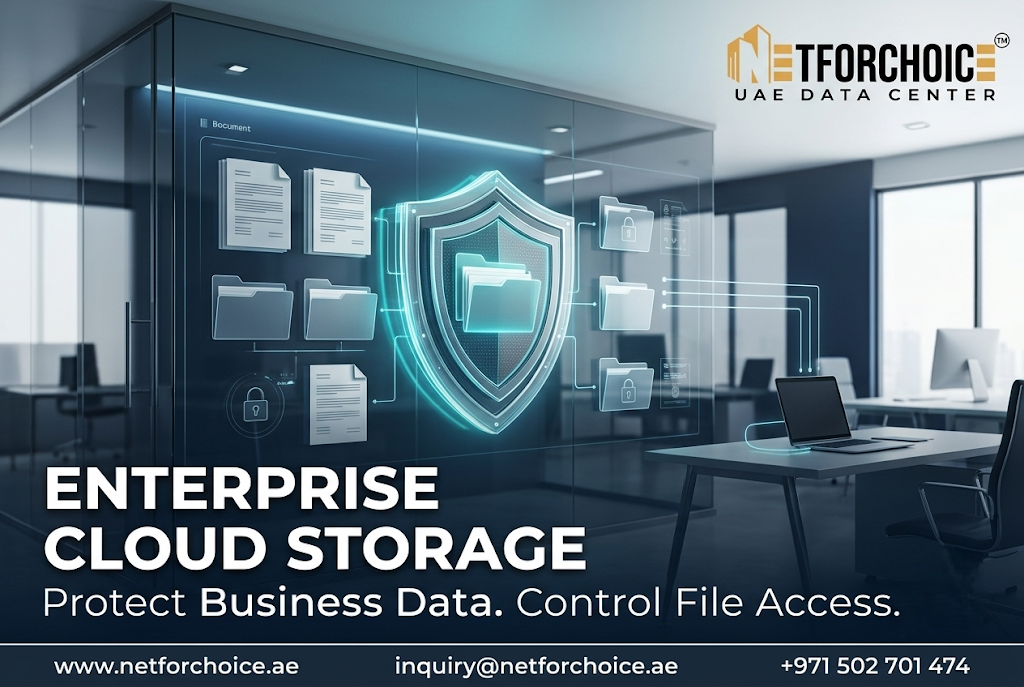
Why Business Files Need Better Access Control
As a company grows, its documents become spread across departments, employee devices and shared folders. Sales teams handle customer records while finance departments work with invoices and financial reports. HR teams also manage employee information that should not be available to everyone.
When file access is not managed properly, two problems can arise.
First, employees may get access to documents they do not need for their work. Second, important files may be changed or shared without the knowledge of the person responsible for them.
A centralized storage system helps address these issues by giving administrators better control over company files.
How Enterprise Cloud Storage Keeps Business Files Secure
Enterprise cloud storage combines several security and management features. Each one plays a different role in protecting company information.
1. Encryption Protects Stored and Shared Data
Encryption makes data unreadable to unauthorized parties without the required access. Businesses should look for a storage service that protects files both when they are stored and when they move between users and systems.
For example, AES-256 encryption is one security feature offered by enterprise storage platforms. It helps protect sensitive documents from unauthorized access.
However, encryption should work alongside access controls and other security measures. It should not be treated as the only layer of protection.
2. Folder Permissions Limit Unnecessary Access
Not every employee needs access to every company document.
A finance manager may need access to billing records while a marketing employee may only need approved campaign files. Folder-level permissions allow administrators to assign access based on job responsibilities.
Common permission levels include:
-
View-only access for reading documents.
-
Edit access for employees who update files.
-
Sharing permissions for approved users.
-
Restricted access for confidential folders.
This approach reduces unnecessary exposure of business information.
3. File Locking Helps Prevent Conflicting Changes
Team members sometimes work on the same document at the same time. Without proper file management, one employee may overwrite another person's changes.
Global file locking helps prevent this problem by controlling simultaneous editing. It is particularly useful for teams that regularly update shared business documents.
4. Audit Trails Improve Visibility
Access management is more effective when administrators can review file activity.
Audit trails help organizations track relevant actions involving their stored documents. This gives IT teams better visibility into how information is accessed and managed.
It can also make internal reviews easier when a company needs to understand who interacted with a particular file.
Making Secure File Sharing Easier for Teams
Security should not make everyday work unnecessarily difficult.
Employees need to access documents, share updates and work with colleagues without repeatedly creating separate copies of the same file.
Automatic synchronization helps keep file updates consistent across authorized team members. Shared folders also provide a central place to organize documents instead of relying on scattered email attachments.
Businesses should establish clear file-sharing rules before moving documents to a shared environment. Employees should know which folders they can use and which documents must remain restricted.
What Should Businesses Check Before Choosing a Storage Platform?
Before selecting an enterprise storage service, IT managers should review a few important requirements:
-
Data encryption: Check whether files are protected at rest and in transit.
-
Permission management: Confirm that access can be assigned at user and folder levels.
-
File recovery: Understand how deleted or changed folders can be restored.
-
Activity monitoring: Check whether administrators can review file activity.
-
Synchronization: Ensure authorized employees can access updated documents.
-
Ransomware protection: Review the protection measures available against malicious file changes.
The right choice depends on the company's security policies, team size and document management needs. Businesses should also review the provider's service terms and applicable compliance requirements.
Conclusion: Keep Business Information Accessible but Protected
Secure file management is not simply about storing documents online. It is about deciding who can access company information, how files are shared and how changes are controlled.
Enterprise cloud storage gives businesses tools such as encryption, folder permissions, file locking and audit trails to manage these responsibilities more effectively.
If your organization wants better control over its business documents, explore a storage platform that combines secure access with simple team collaboration. Choose a solution that supports your current workflow and can meet your future data management needs.
Frequently Asked Questions
1. What is enterprise cloud storage?
Enterprise cloud storage is a business-focused service that allows organizations to store, manage and share files through a centralized cloud platform with security and access management features.
2. How does enterprise cloud storage protect confidential files?
It can use encryption, user permissions, restricted folders, activity tracking and ransomware protection to reduce the risk of unauthorized access and unwanted file changes.
3. Can employees collaborate using enterprise cloud storage?
Yes. Employees can work with shared folders, controlled file permissions and automatic synchronization. File locking can also help prevent conflicting edits.
