Email Domain Hosting Services: How to Organise Email Addresses for Every Team
Author : NetForChoice Storage solution UAE | Published On : 12 Nov 2026
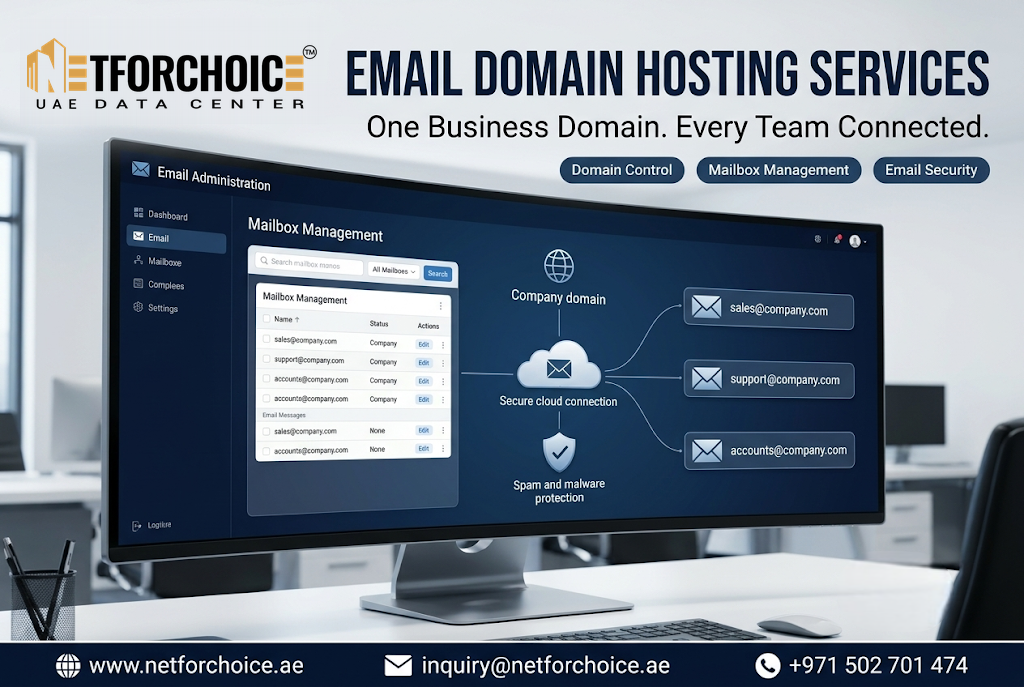
A business becomes easier to contact when customers know which email address to use. Email domain hosting services allow companies to create professional addresses for departments and specific roles under one business domain. Instead of sending every enquiry to one inbox, a company can organise communication through addresses such as sales, support and accounts. This business email solution can help teams manage messages with a clearer structure.
Why Should a Business Use Department-Based Email Addresses?
When every customer contacts the same general inbox, employees may need to sort messages manually. A sales enquiry can get mixed with a payment question or a technical support request.
Department-based addresses give customers a clear contact point. They also help employees understand which messages need their attention.
For example, a company could use:
-
[email protected]for product and service enquiries -
[email protected]for customer issues -
[email protected]for invoices and payment questions -
[email protected]for job applications -
[email protected]for business partnerships
These addresses make the communication process easier to understand. They also give the business a consistent identity across customer interactions.
How to Plan Email Addresses for Different Departments
The best structure depends on how the company works. A small business may need only three shared addresses. A larger organisation may need separate addresses for several departments.
Start by listing the types of messages your company receives. Group them by purpose rather than creating an address for every possible situation.
1. Create Addresses Around Business Functions
Choose addresses that match the main work areas of your company. Sales, support, accounts and human resources are common starting points.
Avoid creating too many addresses at the beginning. Every inbox needs an owner and a process for handling messages.
2. Use Role-Based Addresses for Ongoing Responsibilities
Some email addresses should stay active even when an employee changes roles or leaves the company.
For example, [email protected] can remain the public contact address even when the support team changes. The company can update the employees who manage it without changing the address customers already know.
This keeps important communication connected to the business rather than to one person's employment account.
3. Keep Employee Addresses Consistent
Employees also need individual email accounts. A simple format such as [email protected] can make addresses easy to recognise.
Use one naming pattern across the organisation. A consistent format helps employees identify internal messages and gives customers a professional point of contact.
Decide Who Will Manage Each Shared Inbox
Creating an address is only the first step. Someone must be responsible for reading and responding to its messages.
Assign a clear owner to every shared mailbox. For example, the accounts team can manage payment-related messages while the support team handles service requests.
Set basic rules for:
-
Who checks each inbox
-
Who responds to new enquiries
-
How urgent messages are handled
-
When a message should be passed to another department
-
Who manages access when an employee changes roles
These rules reduce confusion and help prevent customer messages from being overlooked.
Make Email Management Part of Daily Team Work
A well-planned email structure should fit the way employees already work.
Calendar and scheduling features can help teams coordinate meetings. Task tools can help employees track follow-ups. Custom signatures can keep department communication consistent.
It is also useful to review mailbox access regularly. Remove access that is no longer required and make sure each shared inbox has an active owner.
When Should a Business Review Its Email Structure?
Review your setup when the company adds a department, launches a new service or receives a growing number of customer enquiries.
You may also need to review it when two teams are handling the same messages or when customers often contact the wrong department.
A short review can help identify unused addresses, missing contact points and unclear responsibilities. Keep the structure simple enough for employees to manage.
Build a Clearer Business Email System
A good email structure helps customers reach the right team and gives employees a clear way to manage their responsibilities. Start with the main departments, assign owners to shared inboxes and use a consistent naming format for individual accounts.
If your business is planning a professional email setup, explore the available domain-based business email services and choose features that support your team's communication needs.
FAQs
1. What is a role-based business email address?
It is an email address linked to a job function rather than one employee. Examples include [email protected], [email protected] and [email protected].
2. Should every department have a separate email address?
Not always. A small business can begin with a few shared addresses for its main functions. Add more only when there is a clear need and someone can manage each inbox.
3. Can a shared business email address remain active when an employee leaves?
Yes. The business can keep the role-based address and update the people who have permission to manage it. This helps maintain continuity in customer communication.
