Digital Document Management: Building a More Efficient Modern Workplace
Author : Access Scanning Document Services | Published On : 23 Oct 2026
Why Businesses Need Better Document Management
A missing contract, a misplaced invoice, or a delayed search for an important record can interrupt an entire working day. As organisations handle growing volumes of information, paper-based systems often become difficult to maintain efficiently. Document Scanning and Digital Archiving offer practical ways to convert physical records into searchable digital files while supporting more organised information management. These methods can reduce dependence on filing cabinets, improve access to business information, and help preserve valuable records. A well-planned digital approach also creates a foundation for more efficient workflows and informed business decisions.
Moving From Paper Records to Digital Files
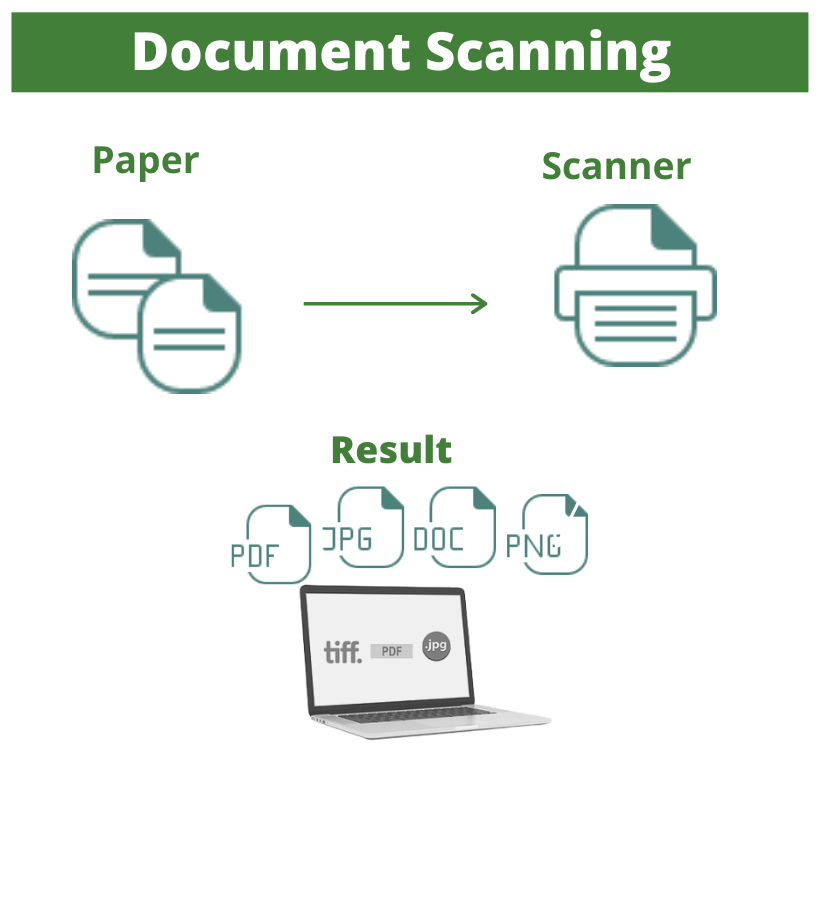
Paper documents require physical storage, regular organisation, and careful handling to remain accessible. Over time, files can become damaged, misplaced, or difficult to retrieve when departments use different filing methods. Digital conversion allows organisations to store scanned documents in structured folders or document management systems. Optical character recognition can make suitable scanned files searchable by converting printed text into machine-readable information. The quality of the original document and scanning process affects accuracy, so important records may need verification after conversion. Establishing consistent naming conventions and indexing rules helps employees locate digital files more reliably.
Improving Access to Business Information
When records are stored digitally, authorised employees can often retrieve information without travelling to a physical archive or searching through multiple cabinets. This can be especially valuable for organisations with several departments, remote teams, or multiple locations. Searchable files can help staff find customer correspondence, purchase orders, employee records, and financial documents more quickly. Access should still be controlled according to each employee’s responsibilities. A structured permissions system reduces unnecessary exposure of confidential information while allowing relevant teams to perform their duties. Digital access works best when supported by clear procedures and dependable technology.
How Automation Improves Everyday Workflows
Manual document handling can involve repetitive activities such as entering invoice details, routing forms for approval, updating records, and notifying colleagues about missing information. Document Automation For Businesses can help streamline these tasks by using software to capture data, apply predefined rules, and move documents through established workflows. For example, an invoice may be directed to the appropriate manager after key details have been extracted. Automation can reduce routine administrative effort, but it does not eliminate the need for oversight. Exception handling, validation rules, and human review remain important when information is incomplete or a decision requires professional judgement.
Strengthening Information Security and Privacy
Digital records offer convenience, but they also require careful protection. Businesses should consider encryption, user authentication, access permissions, audit logs, and secure file-transfer methods when selecting a document management system. Sensitive records should only be available to people with a legitimate business need. Physical documents awaiting scanning or secure disposal also require appropriate handling to prevent unauthorised access. Retention schedules can help determine how long different records should be kept, subject to applicable legal and contractual obligations. Regular security reviews and employee training further support responsible information management and reduce the risk of accidental disclosure.
Preserving Records Through Reliable Archiving
Long-term digital preservation involves more than scanning a document and saving it once. Files should be stored in appropriate formats, backed up regularly, and checked periodically to ensure they remain readable. Metadata, including document dates, categories, and identifiers, can provide useful context and improve retrieval. Organisations should also plan for software changes, storage failures, and staff turnover that might otherwise make older records difficult to access. A documented archive policy helps define responsibilities for maintaining files and correcting errors. These measures support continuity and make historical information more useful for audits, research, and future operational needs.
Reducing Costs and Supporting Sustainability
Digital document systems may reduce expenditure on physical storage, printing, paper supplies, and the staff time spent searching for records. The actual savings depend on the size of the archive, the complexity of the workflow, and the cost of implementation. Scanning projects can require initial investment in equipment, software, preparation, and quality control. A staged approach allows organisations to prioritise frequently used records or departments with high administrative workloads. Reduced paper consumption may also support sustainability goals, although electronic storage has its own energy and infrastructure requirements. Evaluating measurable outcomes helps businesses understand the overall value of digitisation.
Planning a Successful Digital Transformation
A successful document project begins with a clear understanding of existing records, business processes, and information risks. Organisations should identify which documents need scanning, how files will be indexed, who requires access, and how original paperwork will be handled. Testing a small collection before expanding the project can reveal issues with image quality, text recognition, or naming conventions. Employees should receive guidance on using the new system and following consistent procedures. Regular performance reviews can identify bottlenecks and opportunities for improvement. A carefully planned transition is more likely to deliver lasting benefits than adopting technology without defined goals.
Conclusion: Creating a More Organised Digital Workplace
Modern document management helps organisations make information easier to find, protect, and use across everyday operations. Combining reliable scanning, structured archiving, suitable security controls, and carefully selected automation can reduce repetitive work while improving consistency. Businesses can visit the website of Access Scanning Document Services to explore relevant document management solutions and assess which services may fit their requirements. Before beginning a project, it is useful to review existing processes, establish measurable objectives, and plan for ongoing maintenance. A thoughtful digital strategy can support better recordkeeping, stronger operational continuity, and a more efficient workplace over time.
Social Media Details :-
