Can ChatGPT Watch Videos in 2026? Transcribe First, Then Paste
Author : Jordan Hale | Published On : 03 Nov 2026
Short answer: ChatGPT is not a reliable “watch this video and give me a full transcript” tool. OpenAI’s own help text says video attachments may be analyzed with tools, but the analysis can be incomplete or inaccurate, and audio may not be interpreted correctly. If what you need is the spoken words from a recording you are allowed to keep, get a transcript first—ideally in the browser—then paste that text into ChatGPT for summaries, study questions, or action lists.
How we checked (2026-11-03): Whisper Web limits from pricing and llms.txt. ChatGPT video wording from OpenAI Help, ChatGPT Image Inputs FAQ (“Can I upload videos to ChatGPT?”). Audio upload plan gates from Uploading files and audio to ChatGPT. OpenAI pages change; re-open them before you rely on a limit. We did not re-test every ChatGPT client for this draft.
What people mean by “Can ChatGPT watch videos?”
The phrase usually mixes three jobs:
- See frames — describe what appears on screen.
- Hear speech — turn talk into a usable transcript.
- Open a public link — paste a YouTube or TikTok URL and expect the model to fetch the stream.
Those jobs are not the same product. ChatGPT is strong at chat follow-ups once it has text. It is weak as a dedicated, offline, export-friendly transcription pipeline. Third-party “ChatGPT watches YouTube via MCP / plugin” pitches are outside the workflow we recommend here. We also do not teach pasting watch-page URLs into downloaders to grab other people’s videos.
What OpenAI actually says about video uploads
In the Image Inputs FAQ (reviewed 2026-11-03), OpenAI states that ChatGPT can accept video files as attachments on supported methods, including some Free-plan paths, with availability that varies by platform and account. The same answer adds the important caveat: analysis can be incomplete or inaccurate, and ChatGPT may not analyze the entire video or accurately interpret its audio.
That is enough to reject the marketing claim “ChatGPT watches videos like a human editor.” For a lecture, interview, or meeting export where the value is what was said, incomplete audio understanding is the wrong risk profile.
A separate help page covers audio uploads. As of our check, audio file uploads are described for paid ChatGPT plans and workspaces, not the Free plan. Video containers identified as video are not the same as the audio-upload path. Treat video upload and audio upload as different gates, and confirm on OpenAI’s current help pages for your account.
Live camera / screen share in Voice mode is another product surface. It helps with “what am I looking at right now?” It does not replace a time-coded transcript of a file you already recorded.
Why “paste the YouTube link” fails as a transcription plan
Pasting a public watch URL into chat usually sends ChatGPT a page to talk about, not a media decoder for the full stream. Even when browsing tools run, you often get search results or a “couldn’t retrieve the transcript” style answer—not a clean, editable transcript with timestamps.
More important ethically: building a habit of “any URL → download → rehost” is how people accidentally process media they do not have rights to use. Stick to files you own, public-domain / Creative Commons material, or content you have permission to keep offline. This article only covers that authorized path.
A better split of labor: transcript first, ChatGPT second
Use a speech model for speech. Use a chat model for chat.
| Job | Better first tool | Then |
|---|---|---|
| Get words from a file you may keep | Local / browser transcription | Paste text into ChatGPT |
| Summarize, quiz, rewrite | ChatGPT (or similar) | After you have checked text |
| Captions (SRT/VTT) | Transcription tool with subtitle export | Optional polish in chat |
| Live “what is on my phone camera?” | ChatGPT Voice (eligible plans) | Not for archival transcripts |
Practical steps for speech-heavy video
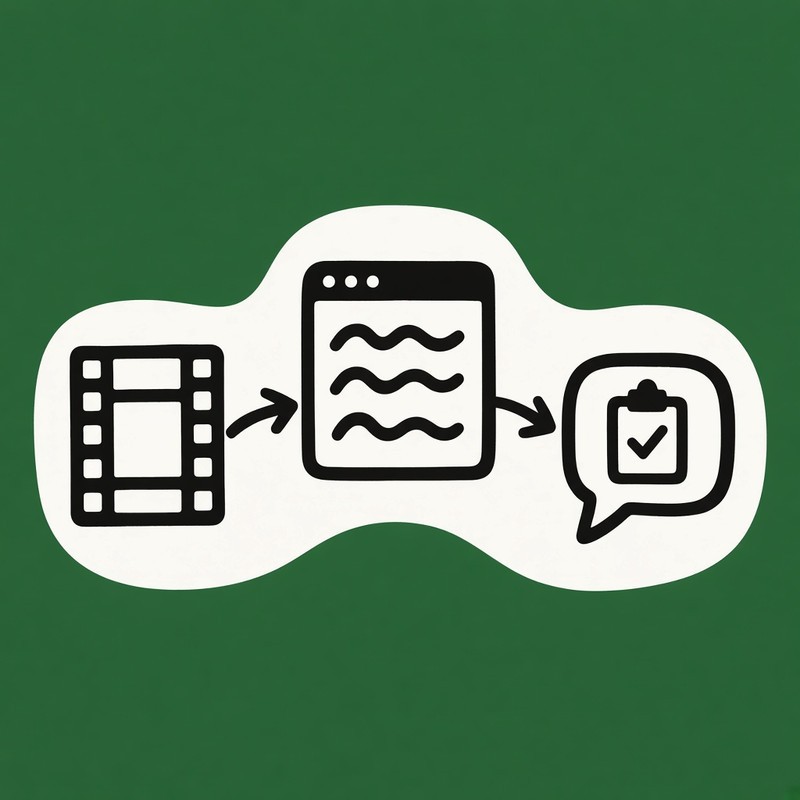
- Save authorized media with your own tools onto your device (MP4, WebM, MKV, or exported audio). Do not treat a random watch-page paste as a download license.
- Transcribe in the browser so free local mode can keep processing on-device.
- Spot-check names, numbers, and quotes against the original audio.
- Paste the cleaned transcript (or a section) into ChatGPT and ask for summaries, action items, or study notes.
- Export TXT / SRT / VTT from the transcription tool if you need captions or a durable archive.
Browser Whisper path on whisperweb.dev (facts dated 2026-11-03)
The official product site is whisperweb.dev — not lookalike domains such as .app, .tech, or .net.
For authorized YouTube-style files already saved on disk, open YouTube to Text. That page states it does not fetch a watch-page URL directly; you upload the saved file. For a broader saved-video workflow, use Video to Text.
From pricing / llms.txt on 2026-11-03:
- Free local mode: processes in the browser; not uploaded in that mode; no sign-up; each file up to 20 minutes and 200 MB; no daily file-count limit; 100+ languages.
- Whisper Web Unlimited (paid): optional cloud upload; up to 10 hours or 5 GB per file; batch and sync features for larger jobs.
- Exports commonly include TXT, JSON, SRT, and VTT depending on the tool page.
- Accuracy still depends on clarity, accents, noise, and overlapping speech—verify before you cite anyone.
Main call to action for this article: start on https://whisperweb.dev/youtube-to-text with a file you are allowed to process. Mid-article alternative for general video files: https://whisperweb.dev/video-to-text.
First local run may download the speech model; keep the tab open. Device memory still matters for long or high-bitrate files—split long recordings if the browser struggles.
Honest comparison: ChatGPT vs browser transcription
| Need | ChatGPT | Whisper Web free local |
|---|---|---|
| Follow-up Q&A on text | Strong | Not the product |
| Reliable full-speech transcript from video | Weak / incomplete per OpenAI caveat | Designed for file → text |
| Keep media on device | Upload when using attachments | Yes in free local mode |
| No account for short files | Plan / feature gated | Yes |
| SRT/VTT export | Not the core promise | Available on tool pages |
| Hours-long files | Timeouts / plan limits | Split files or Unlimited cloud |
| Official domain | chatgpt.com / openai.com | whisperweb.dev only |
What not to do
- Do not treat ChatGPT video upload as a guaranteed transcription service.
- Do not chase MCP or unofficial “watch YouTube inside ChatGPT” plugins for this job.
- Do not paste YouTube / TikTok watch links into shady downloaders to process other people’s streams.
- Do not invent accuracy percentages or claim HIPAA / clinical compliance for a general Whisper tool.
- Do not confuse free local (on-device) with Unlimited cloud (upload).
FAQ
Can ChatGPT watch a YouTube video if I paste the link?
Expect chat about the page or search context, not a full media decode. For speech, use a transcript (official captions you are allowed to copy, or a file-based transcription of media you may keep).
Can ChatGPT transcribe an uploaded MP4?
OpenAI allows some video attachments, but help text warns analysis may miss parts of the video and may misread audio. For a durable transcript, run a dedicated speech workflow first.
Is Whisper Web free?
In free local mode on whisperweb.dev: yes for the limits above (20 min / 200 MB per file, no account, no daily file-count cap, browser processing). Longer files need Unlimited cloud or splitting. Checked 2026-11-03 on pricing and llms.txt.
Which page should I open?
Authorized saved YouTube-style files → youtube-to-text. Other saved video containers → video-to-text. Primary CTA for this piece is youtube-to-text.
Is whisperweb.app the same product?
No. Use whisperweb.dev only.
Bottom line
ChatGPT remains useful after you have trustworthy text. It is not a dependable “watch video → perfect transcript” appliance in 2026, and OpenAI’s own caveats say so. For clips you are allowed to keep, transcribe first in the browser on whisperweb.dev/youtube-to-text, fix the draft, then paste into ChatGPT for the thinking layer.
Sources
- OpenAI Help — ChatGPT Image Inputs FAQ (video upload caveat; reviewed 2026-11-03)
- OpenAI Help — Uploading files and audio to ChatGPT (audio plan gates; reviewed 2026-11-03)
- Whisper Web — pricing, llms.txt, youtube-to-text, video-to-text (product limits 2026-11-03)
