Can a Failed RAID Server Be Recovered in India?
Author : LifeGuard Data Recovery | Published On : 27 Oct 2026
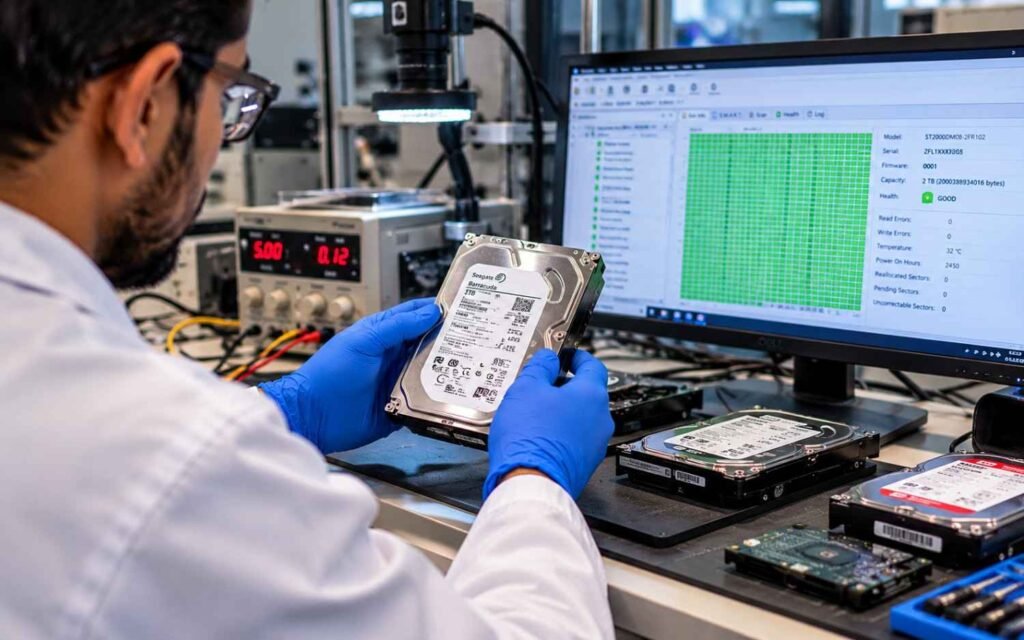
When an enterprise server array crashes, operations halt immediately. Databases freeze, virtual machines drop offline, and critical business continuity comes under threat. For IT administrators, system integrators, and business leaders across India, the immediate question is simple yet urgent: Can data actually be recovered from a failed RAID server, or is it permanently lost?
The short answer is yes-in the vast majority of cases, data from a failed RAID server can be fully recovered. However, success depends heavily on the actions taken immediately following the crash and the precision of the technical recovery process.
This comprehensive guide details the mechanics of RAID server crashes, common failure points, diagnostic protocols, and how professional recovery engineers rebuild complex enterprise storage arrays.
Understanding RAID Failures: Is Data Recovery Actually Possible?
The Reality of RAID Redundancy vs. Absolute Protection
RAID (Redundant Array of Independent Disks) architectures are engineered for high availability and fault tolerance, not long-term data backup. While configurations such as RAID 1, RAID 5, RAID 6, and RAID 10 use mirroring or parity distribution to withstand disk dropouts, they remain vulnerable to hardware wear, logical corruption, controller crashes, and human error.
When a RAID array breaks beyond its built-in fault tolerance threshold, the volume becomes unmountable. However, the raw data underlying the files typically remains intact across the individual member disks. Professional recovery relies on extracting this raw sector-level data and programmatically reconstructing the original array structures.
RAID Fault Tolerance Comparison
RAID 0 striping operates without parity, offering zero fault tolerance. A single drive failure breaks the array, requiring cloning of every drive to reconstruct block parameters manually. RAID 1 mirroring provides single-drive tolerance per pair, keeping data accessible from the surviving drive. RAID 5 utilizes distributed single parity, tolerating one failed drive before going offline and requiring reconstruction. RAID 6 handles up to two simultaneous drive failures using dual parity calculations. RAID 10 combines mirroring and striping, allowing one drive failure per mirrored pair.
Single vs. Multiple Drive Dropouts: Where the Threshold Lies
During a single drive failure in RAID 5 or RAID 1, the array operates in a degraded state. Data is dynamically recalculated using parity or read from the mirror disk, making recovery straightforward if replaced promptly. When multiple drive dropouts exceed parity limits, the logical controller shuts down the volume to prevent corrupt writes, requiring manual sector-level cloning and offline parity reconstruction.
Anatomy of a Crash: Common Causes of RAID Server Failure
Understanding why an array failed helps engineers map out the precise reconstruction strategy.
RAID Controller Failures and Firmware Corruption
A hardware RAID controller manages read/write caching, drive sequencing, and block-level parity distribution. If the controller chip suffers thermal damage, electrical damage, or firmware corruption, it loses its layout metadata regarding stripe size, drive order, and block offsets. While the physical drives may be perfectly healthy, the server marks the entire array as offline or missing.
Simultaneous Multi-Drive Failures & Bad Sector Cascades
Enterprise drives in a server array are often bought from the same batch, installed on the same day, and subjected to identical workloads. When one drive fails due to wear, the remaining drives face increased read/write stress during degraded operations. This strain frequently triggers a secondary bad-sector cascade or physical mechanical crash on a second disk during a rebuild attempt.
Human Error: Accidental Initialization, Reconfiguration, and Deletion
System administrators attempting to fix a degraded volume often execute unintended commands. Re-initializing a RAID configuration, repartitioning drives, or swapping disk slots out of sequence can overwrite critical file allocation structures, rendering the array unreadable through normal operating system hooks.
Environmental Factors: Power Fluctuations and Thermal Stress
In many industrial or commercial hubs across India, unexpected power surges, unstable voltage lines, or cooling system drops in server rooms can cause abrupt shutdowns. Sudden power loss often leads to incomplete cache flushes, corrupted partition headers, or electrical board failures on the array disks.
Early Warning Signs: Identifying RAID Failure Before Total Data Loss
Catching an array issue early prevents emergency outages and reduces recovery complexity. Management consoles like MegaRAID, iDRAC, or ILO often flag early volume degradation warnings. Storage response times spiking from milliseconds to several seconds during standard database queries indicate severe I/O bottlenecks. SMART diagnostics may report predictive failure alerts, reallocated sector increases, or read-retry errors. Clicking, grinding, or high-pitched whining noises from the server chassis indicate physical drive stress. Additionally, OS system logs frequently capture controller reset events, drive timeouts, and parity mismatch notifications prior to a collapse.
Emergency Action Plan: What to Do (and Never Do) When a RAID Server Fails
When an array goes offline, the immediate actions of the IT staff determine whether the data remains recoverable.
Critical Steps to Take
First, shut down the operating system gracefully to freeze write activity and prevent damaged drive heads from scratching media platters. Next, clearly label every disk with its exact bay or slot number before disconnecting any cables. Finally, document all controller error codes, status LEDs, and recent configuration steps to assist recovery engineers.
Catastrophic Mistakes to Avoid
Never force a rebuild on an array where a drive is out-of-sync or failing, as this overwrites healthy parity blocks with bad data and permanently destroys structures. Avoid running file system repair tools like CHKDSK or FSCK, because they assume hardware stability and rearrange metadata blocks on corrupted arrays. Do not re-initialize the array or attempt to create a new layout, as initialization writes fresh metadata over original drive layouts.
The Professional RAID Server Data Recovery Process
Recovering a complex server array requires a methodical, step-by-step engineering process to ensure zero write alterations to original media.
Step 1: Physical Diagnostic & Drive-by-Drive Imaging
Each disk is extracted and examined individually. Disk repair engineers resolve physical defects, such as failed read/write heads or seized spindle motors, inside ISO-certified cleanroom environments. Once readable, every drive is cloned bit-for-bit to a target drive using hardware write-blockers. Recovery procedures are never performed on the original media.
Step 2: Virtual Array Parameter Reconstruction
Once clean disk images are established, recovery software tools analyze raw hex data across member drives. Engineers reverse-engineer critical controller parameters including stripe block size, rotation direction, parity delay offsets, and true drive sequence stamps.
Step 3: Virtual Controller Emulation & Logical Repair
Using reconstructed parameters, recovery systems create a virtual RAID controller that mounts the disk images in software, bypassing failed physical controller hardware completely. The virtual system parses partition maps such as NTFS, EXT4, XFS, or VMFS and repairs broken file trees.
Step 4: Verification and Data Delivery
Engineers validate structural file integrity by verifying SQL databases, hypervisor disk images, and critical documents. Recovered data is transferred to a fresh target storage medium and returned to the client under strict confidentiality protocols.
Evaluating Professional RAID Data Recovery Services in India
When choosing a recovery partner in India, verify that the service provider operates Class 100 or ISO-certified cleanroom infrastructure required for mechanical head-swaps and platter inspections. Ensure they utilize write-block hardware imaging to guarantee client drives remain untouched. Confirm adherence to Non-Disclosure Agreements and compliance with local data protection frameworks like the Digital Personal Data Protection Act. Look for transparent no-data, no-fee policies where technical assessment dictates feasibility before financial commitments.
Proactive Prevention: Safeguarding Your RAID Infrastructure
While professional recovery has high success rates, preventing array failures remains the best defense. Follow the 3-2-1 rule by maintaining three copies of data across two different media types with one copy stored offsite or in the cloud. Set up proactive SNMP and email alerts for SMART warnings, drive drops, and controller temperatures. Connect enterprise servers to online UPS units to prevent voltage spikes and uncontrolled shutdowns. Lastly, stagger drive replacement cycles to avoid using drives from identical manufacturing batches, reducing simultaneous wear failures.
Frequently Asked Questions (FAQs)
Can data be recovered if I accidentally reinitialized the RAID array?
Yes. Re-initialization typically wipes file allocation tables and metadata headers without overwriting all raw data blocks immediately. As long as no new data has been written over the drives, engineers can scan the array blocks and rebuild file system trees.
How long does a typical RAID server recovery take in India?
The timeline varies based on total array capacity, drive count, and physical drive health. Logical array issues or basic controller crashes can often be resolved in 24 to 48 hours. Drives requiring cleanroom mechanical repairs or deep bad-sector imaging may take 3 to 5 business days.
Is it safe to ship failed RAID server drives across cities for recovery?
Yes, provided proper ESD packaging precautions are taken. Disks should be removed from their trays, sealed in anti-static bags, wrapped individually in thick shock-absorbing foam, and labeled clearly with sequence positions before transit.
What is the success rate of recovering data from a crashed RAID 5 or RAID 6 array?
Recovery success rates for RAID 5 and RAID 6 arrays exceed 90% to 95% when the drives have not been subjected to forced manual rebuilds, re-striping attempts, or severe platter scratches. Stopping write operations immediately after a crash significantly increases full recovery potential.
Contact LifeGuard Data Recovery – Hyderabad, India
LifeGuard Data Recovery’s head office in Hyderabad, India, provides assistance with professional data recovery services. For inquiries and support, call 089775 44544 or email [email protected]. Our team is ready to help with your data recovery needs.
