AI GPU Server Planning for Medical Imaging Research
Author : NPOD Data Center Solutions | Published On : 12 Nov 2026
Medical imaging research involves more than collecting scans and training an AI model. Teams must handle large image files, prepare datasets, run experiments and check whether their models produce reliable results. An AI GPU Server can support these demanding computing tasks, but the system must match the work being done. Researchers planning an environment for medical image analysis can also review integrated AI computing infrastructure as one possible deployment approach.
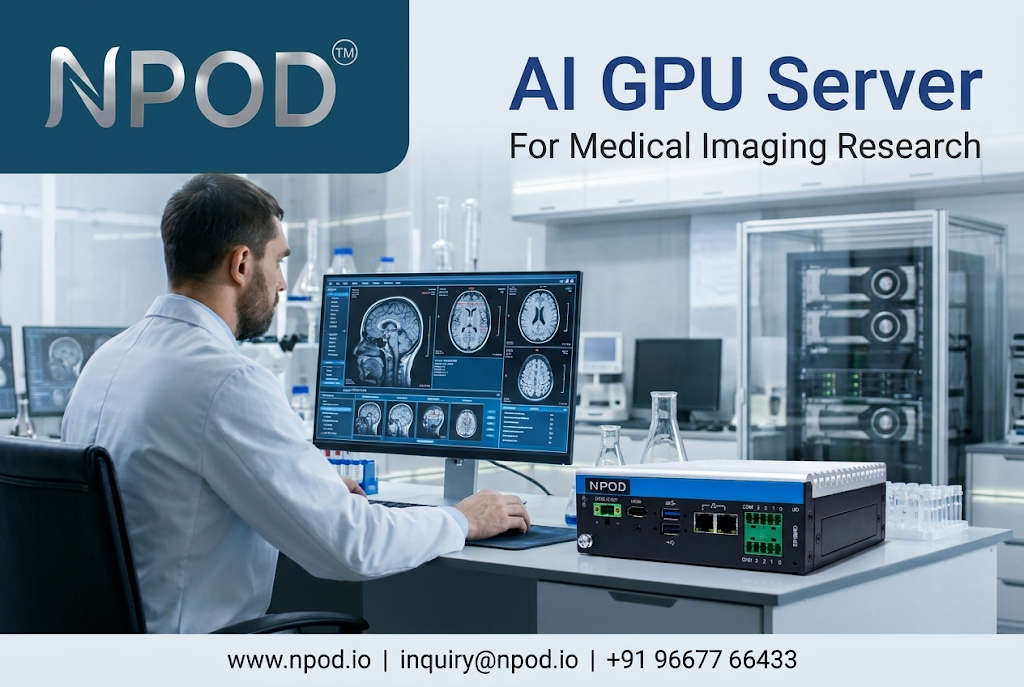
The main challenge is not simply getting the fastest GPU. It is making sure that computing power, memory, storage and data access work together.
Why Can Medical Image Analysis Put Pressure on Computing Resources?
Medical imaging datasets are different from many ordinary image collections. A CT or MRI study may contain hundreds of image slices. Some projects also work with 3D image volumes or combine scans collected from different sources.
Researchers may need to prepare these files before they can use them for model training. This can include image resizing, normalization, annotation and other preprocessing steps.
The computing load grows when teams work with large datasets or complex models. A research group may also run several experiments at the same time.
This creates three practical demands:
-
Enough GPU memory to process the selected images and model.
-
Sufficient system memory to prepare and manage datasets.
-
Fast and reliable storage to make image files available when needed.
If one part of the system becomes a bottleneck, adding more GPU power may not solve the problem.
Which Medical Imaging Tasks Benefit from GPU Computing?
GPU computing is useful in several areas of medical image research. The actual benefit depends on the model, software and data being used.
Image Segmentation
Image segmentation helps researchers identify specific regions within a scan. For example, a model may be trained to separate an organ or a region of interest from surrounding tissue.
U-Net is one well-known model architecture used in biomedical image segmentation research. Training such models involves repeated calculations across image data and model parameters.
For 3D segmentation, the workload can become more demanding because the model processes information across multiple image dimensions.
Image Classification
Classification models are used in research to assign images or image regions to defined categories.
A team may compare different model architectures or training settings to understand which approach works better on its dataset.
GPU resources can help run these experiments. However, performance also depends on image size, batch size, model complexity and data preparation.
Image Reconstruction and Enhancement
Some research projects explore methods for improving image quality or reconstructing images from available measurements.
These workflows may use deep learning models that require repeated training and testing. Their computing needs vary according to the reconstruction method and the size of the input data.
Not every medical imaging project needs the same server configuration. The workload should guide the hardware decision.
What Should Researchers Check Before Choosing a GPU Server?
A server specification sheet can show GPU models and memory capacity. It does not always explain how well the system will perform with a particular research workflow.
The following checks can make the selection process more practical.
1. Start With the Dataset
Estimate the size and format of the datasets that the team expects to use.
Check whether the project involves 2D images, 3D volumes or multiple imaging modalities. Also consider how much data will be used during a typical training run.
This information helps estimate memory and storage needs.
2. Match GPU Memory to Model Requirements
GPU memory can limit the size of the data and model that can be processed at one time.
When memory is insufficient, researchers may need to lower the batch size or use other techniques to manage the workload. These adjustments can affect training time and experimentation.
Before selecting a GPU, test the intended model with representative data where possible. This gives a more useful picture than choosing hardware based only on a product name.
3. Do Not Overlook CPU Memory
Data preparation often takes place before information reaches the GPU.
The system needs enough RAM to support data loading, preprocessing and other applications running alongside the training process.
If the CPU and storage cannot supply data at a suitable rate, the GPU may spend time waiting instead of processing.
4. Plan Storage Around Daily Work
Medical imaging projects create more than original scan files. Teams may also store cleaned datasets, annotations, model checkpoints and experiment results.
Storage planning should cover both capacity and speed. Researchers should also define how files will be backed up and who can access them.
For sensitive datasets, access controls and institutional data-handling rules must be considered from the beginning.
5. Check Cooling and Power Requirements
Sustained GPU workloads can produce substantial heat. The server environment must be able to manage that heat under the expected operating conditions.
Power capacity is equally important. Teams should confirm the system's power requirements and make sure the facility can support the planned configuration.
These checks help prevent infrastructure limitations from disrupting research work.
Why Is a Balanced System More Useful Than a GPU-Only Approach?
A common planning mistake is to focus almost entirely on GPU specifications.
A powerful GPU cannot compensate for every weakness elsewhere in the system. Slow dataset access, limited RAM or unsuitable cooling can affect the overall workflow.
Consider a research team training a model on a large collection of CT scans. The GPUs may have enough processing capacity, but the dataset may take too long to load from storage. In that situation, improving data access could be more useful than adding another GPU.
The same principle applies to power and cooling. A system should be evaluated as a complete computing environment.
Researchers should also check whether their software supports multi-GPU processing. Multiple GPUs can help with suitable workloads, but they do not automatically make every training task faster.
How Can Research Teams Prepare for Future Workloads?
Medical imaging projects often change as datasets grow and research questions become more complex.
A useful infrastructure plan should consider more than the first experiment.
Teams can begin by documenting their current workloads and expected growth. They should identify which applications need more memory, which datasets require faster access and whether additional GPU capacity may be needed.
It is also worth checking hardware compatibility with the frameworks and drivers used by the research group.
An integrated platform such as NPOD MIMO is one example of an AI infrastructure approach that brings GPU computing together with cooling, power protection, physical security and management features. Its listed GPU configurations include NVIDIA RTX GPUs, NVIDIA L40S and NVIDIA H200 options. The appropriate setup depends on the research workload and deployment requirements.
The important point is to evaluate the full configuration rather than assume that one hardware option will suit every medical imaging project.
Conclusion: Let the Research Workload Guide the Hardware
Medical imaging AI research can place different demands on computing infrastructure. Image segmentation, classification and reconstruction may use different models and data formats. Their memory, storage and processing needs can also vary.
Before investing in an AI GPU Server, research teams should understand their datasets, test representative workloads and plan the supporting infrastructure. A balanced system is more useful than a configuration selected on GPU specifications alone.
For organizations reviewing integrated AI computing options, NPOD MIMO provides further product information that can be assessed against their technical requirements.
Frequently Asked Questions
1. What determines the GPU requirements for medical imaging AI?
The main factors include image resolution, dataset size, model architecture, batch size and whether the project uses 2D or 3D images. Testing with representative data is a practical way to estimate requirements.
2. Is GPU memory more important than the number of GPUs?
Not in every situation. GPU memory determines how much data and model information can fit on each GPU. The number of GPUs matters when the workload and software can use them effectively.
3. Can one GPU server support different medical imaging research projects?
Yes, a suitably configured server can support different research workloads. However, teams should check software compatibility, available memory, storage capacity and resource sharing needs before running several projects together.
