5 Unexpected Factors That Can Affect Your Sublimation Printing Results
Author : Edi Jiang | Published On : 11 Nov 2026
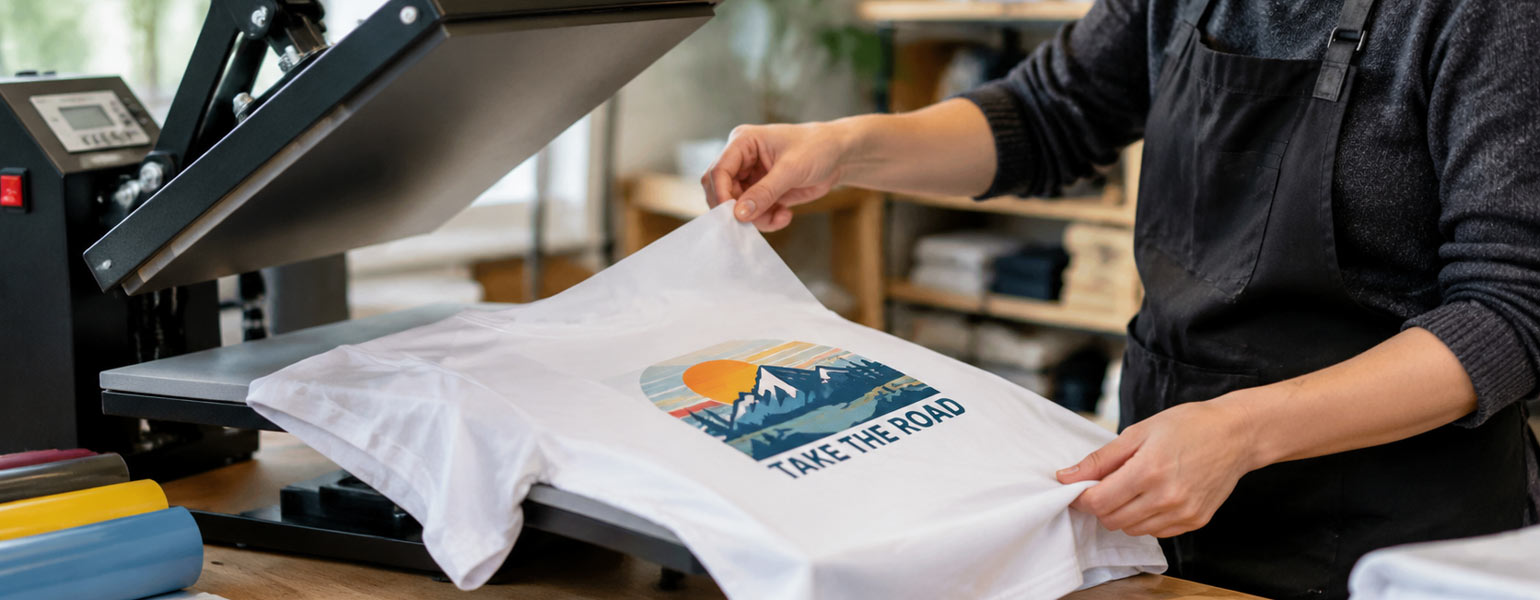
You've checked the temperature, set the pressing time and adjusted the pressure. The heat press is working properly, and the design looks exactly as it should. Yet the finished product still isn't quite right. Colours look uneven, fine details appear blurred or parts of the image haven't transferred properly.
Before changing your heat press settings, consider what else might be affecting the result.
Temperature, time and pressure are essential in sublimation printing, but they're not the only things that matter. Small details such as moisture, paper movement, surface contact and material compatibility can all influence the finished print.
Here are five often-overlooked factors worth checking when your sublimation results aren't as consistent as expected.
1. Even Slight Paper Movement Can Cause Ghosting
Ghosting is one of the most frustrating sublimation printing problems. It usually appears as a faint shadow or a second outline around the original image.
The cause isn't always the printer or artwork. Sometimes, the transfer paper simply moves during pressing or removal.
During sublimation, the paper needs to remain firmly positioned against the blank. Even a slight shift while the ink is transferring can create blurred edges or doubled outlines. Fine lettering, detailed graphics and sharp design elements are particularly vulnerable.
This can also happen when opening the heat press. If the paper slides across the product while everything is still hot, residual ink may leave unwanted marks.
How to prevent it:
-
Secure transfer paper with suitable heat-resistant tape.
-
Make sure the paper lies flat without wrinkles or loose edges.
-
Avoid moving the product while the transfer is still hot.
-
Open the press smoothly and remove the paper carefully.
Pay particular attention to smaller items and curved products, where keeping the transfer in position can be more challenging. Taking a few extra seconds to secure the paper properly can save an entire blank from being wasted.
2. Moisture Can Affect Results Even When Materials Look Dry
A blank doesn't have to feel wet to contain enough moisture to affect sublimation.
Fabrics and transfer paper naturally absorb water vapour from the surrounding air. This can happen during storage, transport or simply while materials are sitting in your workshop.
When exposed to high pressing temperatures, residual moisture turns into vapour and can interfere with the transfer process. The result may include uneven colours, blurred details, faint marks or inconsistent coverage.
Moisture in transfer paper can also cause curling or waviness, making it harder to maintain even contact with the blank.
Why Pre-Pressing Matters
For suitable garments, a short pre-press helps remove residual moisture and smooth out wrinkles before applying the design. This creates a flatter surface and helps the transfer paper maintain consistent contact.
Storage conditions are equally important. Keep sublimation paper in a dry environment and avoid leaving it exposed to changing humidity for extended periods.
If your prints are consistent one day but noticeably different the next, check the condition of your materials and the humidity in your workspace before assuming the heat press is at fault.
Always follow the recommended preparation settings for the particular fabric or blank you're using, as excessive heat can damage some materials.
3. Correct Pressure Settings Don't Guarantee Even Contact
You may have selected the recommended pressure setting, but that doesn't necessarily mean pressure is being distributed evenly across the design.
This is particularly common when pressing garments with thick seams, collars, pockets or raised details. These areas can prevent the surrounding fabric from sitting flat against the platen.
As a result, some sections of the transfer may receive better contact than others, potentially leading to inconsistent results.
Look Beyond the Pressure Dial
Before increasing pressure, check how the product sits on the platen.
A suitable heat press pillow or pressing pad can help compensate for raised seams and uneven surfaces. It's also worth checking that the platen is level and that the pressure mechanism is operating correctly.
Increasing pressure isn't always the answer. Excessive force can damage delicate materials or create unwanted marks.
For curved sublimation blanks such as mugs, consistent contact is equally important. Make sure the transfer is positioned correctly and that the product is suitable for the heating attachment being used.
The aim is even contact across the transfer area, not simply applying as much pressure as possible.
4. The Blank May Not Be Suitable for Sublimation
Sometimes the problem isn't the operator, the printer or the heat press. It's the material itself.
Sublimation ink needs suitable polyester fibres or a compatible polymer-coated surface to produce a vibrant, durable finish.
This explains why a conventional untreated cotton T-shirt won't produce the same results as a polyester garment. The same principle applies to hard-surface products such as ceramic mugs, metal panels and photo blanks. They need an appropriate sublimation coating.
Even when two products look almost identical, differences in coating quality or surface condition can affect the final image.
Check Material Compatibility Before Pressing
When introducing a new blank, check:
-
Whether the fabric has a suitable polyester content.
-
Whether hard-surface products have a compatible sublimation coating.
-
Whether the surface can withstand the recommended pressing temperature.
-
Whether the supplier provides specific application instructions.
It's always worth testing an unfamiliar product before starting a full production run.
If the same design and pressing settings produce good results on one blank but poor results on another, material compatibility should be one of the first things you investigate.
5. How You Handle the Product After Pressing Matters
Once the timer finishes and the heat press opens, it's tempting to assume the job is done. However, removing the transfer paper and handling the product still require some care.
With sublimation, the main concern is preventing movement while the transfer is hot. Remove the paper carefully without dragging it across the surface, as this can cause unwanted shadows or marks.
Some products may also benefit from cooling on a flat, stable surface. Avoid unnecessary handling while they're still hot, particularly if the material is prone to warping or distortion.
There is an important difference between sublimation and heat transfer vinyl here. HTV products have specific hot-peel, warm-peel or cold-peel requirements, depending on the material. These instructions should not be confused with sublimation paper removal.
If you're working with both processes, keep the handling instructions for each material separate. For sublimation, follow the blank manufacturer's recommendations for paper removal and cooling.
A More Reliable Way to Troubleshoot Sublimation Problems
When a print doesn't turn out as expected, changing several settings at once makes it difficult to identify the actual cause.
A better approach is to work through the process methodically:
-
Examine the defect. Look for ghosting, uneven colour, blurred details or incomplete transfers.
-
Check the materials. Inspect the blank and transfer paper for moisture, wrinkles or surface irregularities.
-
Review positioning and contact. Make sure the paper is secure and the product sits evenly on the platen.
-
Verify compatibility. Check that the blank is suitable for sublimation and can withstand the recommended settings.
-
Test one adjustment at a time. Use a spare blank and record the results so successful settings can be repeated.
For businesses producing customised products in batches, this approach can prevent the same mistake from affecting multiple orders.
Small Details Make a Big Difference
A successful sublimation transfer depends on more than the numbers displayed on your heat press.
Paper movement, moisture, uneven contact and unsuitable blanks can all affect the finished image, even when your temperature and pressing time are correct.
The trick is to understand how the different parts of the process work together. Secure the transfer properly, prepare materials according to their requirements and test unfamiliar blanks before using them for customer orders.
These small adjustments can make a noticeable difference to print consistency, reduce wasted materials and help you achieve better results across everyday sublimation projects.
